Job monitoring
Real-Time Truck Tracking for Bulk Hauling Companies
Follow every truck's loads as the day happens: who has clocked in, which dispatches are acknowledged, and what's loaded or delivered. Bulk Haul Software flags late drivers and unanswered dispatches and shows which trucks have nothing to do, so you deal with them before a customer calls.
The Job Monitoring Process in Bulk Haul Software
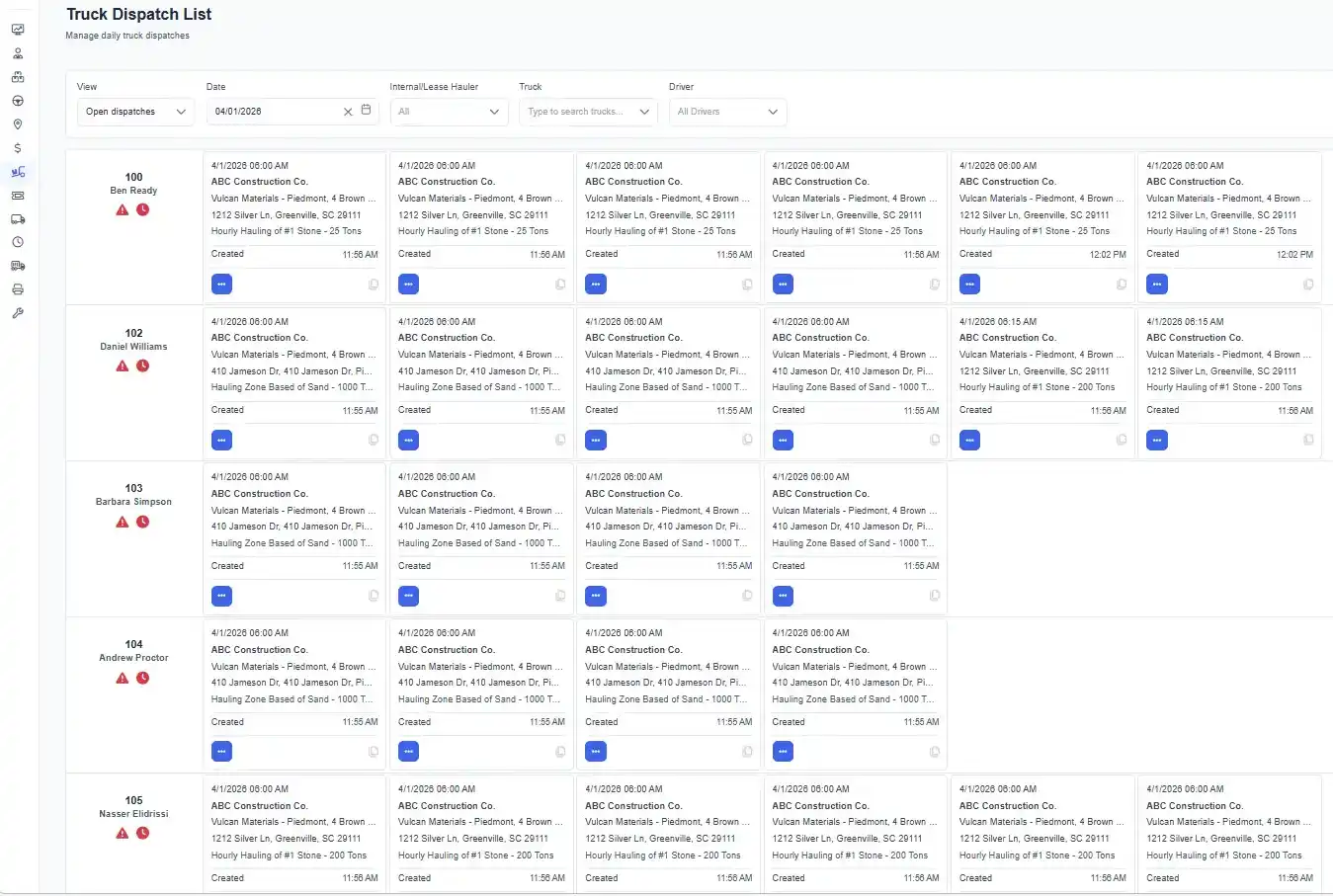
Once the dispatches go out, the truck dispatch list shows what's actually happening, truck by truck.
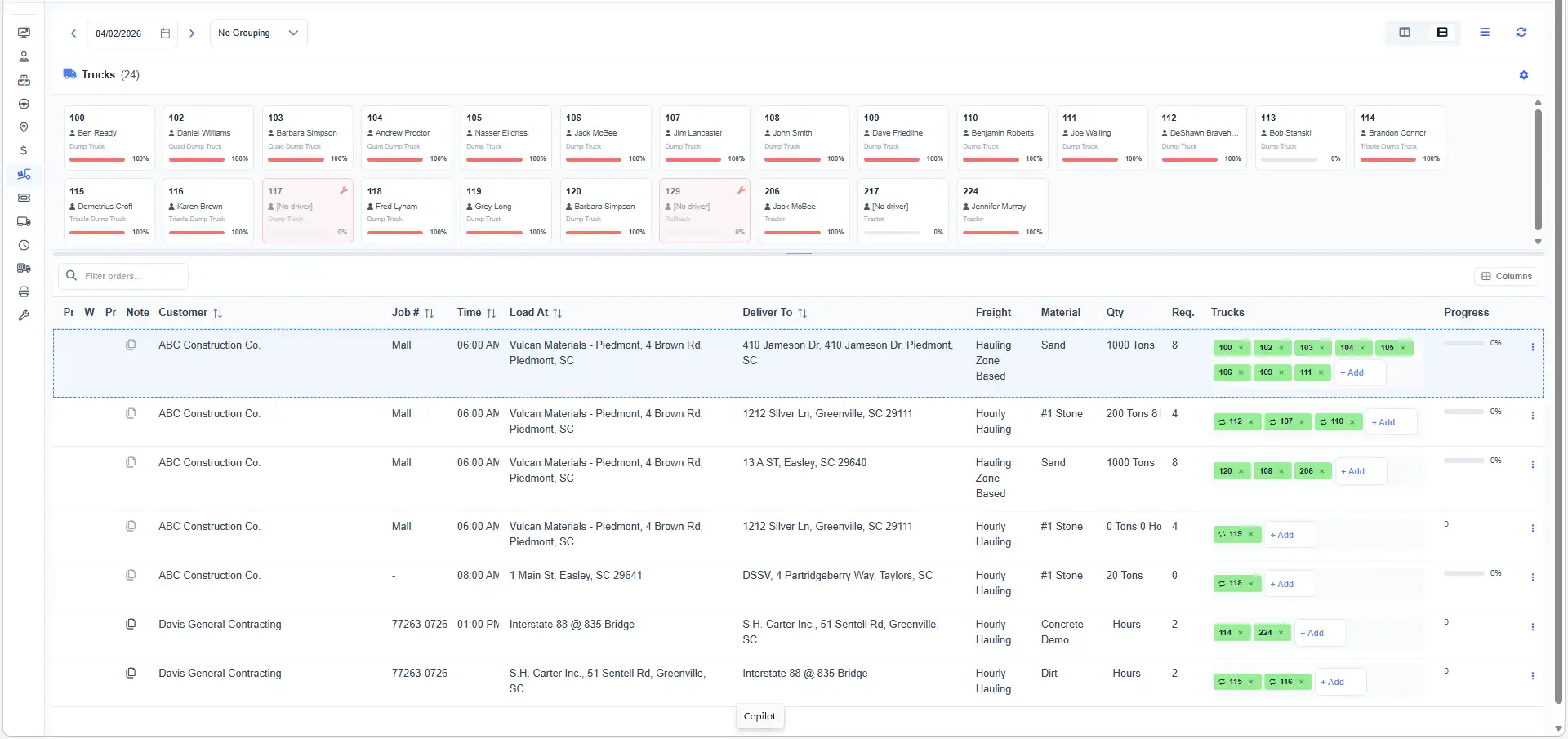
Dispatches land on the list
Each dispatch you send shows up on the truck dispatch list as a card under its truck and driver, so the day's work is laid out truck by truck.
DispatchingSee who has started
Drivers clock in from the app. Anyone late clocking in is flagged, and a separate view lists drivers who haven't clocked in yet.
See who has the job
Dispatches a driver hasn't acknowledged are flagged, so you can follow up before a truck misses its first load.
Follow each load
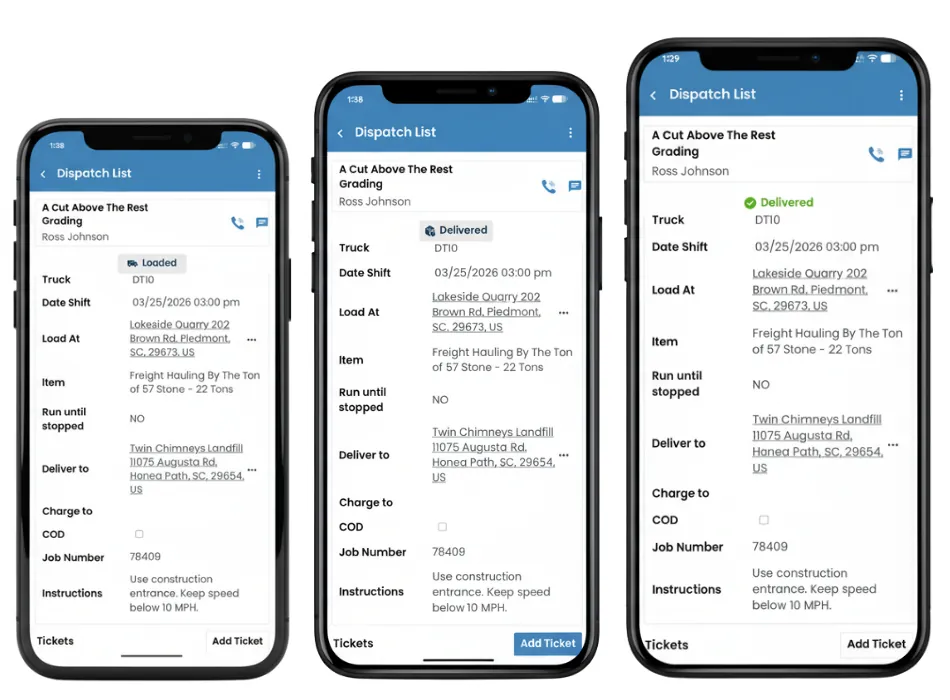
Drivers mark loads loaded and delivered in the app, and each card's status moves from created to delivered as the day goes.
Driver appAct on what's flagged
Red icons mark trucks that need attention, alerts call out scheduling conflicts, and a view shows trucks with drivers but no dispatches.
Adjust and close out
Reorder dispatches, change priorities, copy a dispatch or mark it delivered. Completed and canceled dispatches drop off so the list stays on open work.
Dispatch list views
A View for Every Part of the Day
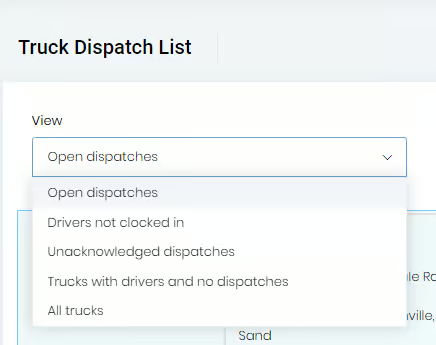
Early morning is about who has shown up. Midday is about loads and open trucks. Switch views without leaving the list.
- Open dispatches for the selected date
- Drivers not clocked in
- Dispatches waiting on a driver to acknowledge
- Trucks with drivers and no dispatches
- All trucks at once
Status from the cab
Load Status Without the Check-In Calls
Drivers update each load from the app as they work, so the office sees progress instead of phoning around for it.
- Drivers acknowledge dispatches with one tap
- Each load is marked loaded, then delivered
- Ticket photos arrive with the ticket number and quantity already read
- On run-until-stopped jobs, the driver can end the job from the app
Plan and actual
The Schedule Is the Plan. The List Is the Day.
The schedule shows how you assigned trucks. The dispatch list shows how those assignments are going, so both stay useful from start to finish.
- Out-of-service trucks show on the schedule
- Filter the list to internal trucks or lease haulers
- Narrow to one truck or one driver
- The same live view for every dispatcher and office
Job Monitoring for Every Kind of Bulk Hauling
Aggregate, agriculture, logging, liquids or public works, the dispatch list follows each truck's loads the same way.
Frequently Asked Questions
Job monitoring tracks every truck's dispatches through the status updates drivers make in the app, so it doesn't need GPS. GPS tracking is available as an add-on, and Bulk Haul Software integrates with Samsara, Geotab, Wialon and IntelliShift telematics.
Dispatches nobody has acknowledged, drivers who are late clocking in, and scheduling conflicts. Trucks that need attention are marked with red icons on the list.
Switch to the view of trucks with drivers but no dispatches. It shows the capacity you have left so you can put it on another job.
Not if they use the driver app. They acknowledge the dispatch and mark each load loaded and delivered, and the dispatch list updates for everyone in the office.
Yes. Lease hauler trucks go on the same schedule as your own, and the dispatch list can be filtered to internal trucks, lease haulers, one truck or one driver.
Yes. Everyone works from the same live list, even when your dispatchers are in different offices.
Bulk Haul Software is the next generation of Dump Truck Dispatcher and has all of its job monitoring functionality and more.