Quotes and bids
Quoting Software for Bulk Hauling Companies
Price each hauling job for the customer asking, with material and freight rates and the fuel surcharge built in. Email the quote in a click, and when the customer says yes, Bulk Haul Software turns it into an order without anyone typing it again.
The Quoting Process in Bulk Haul Software
A bid priced once carries through the order, the dispatch and the invoice, so the rate the customer accepted is the rate they're billed.
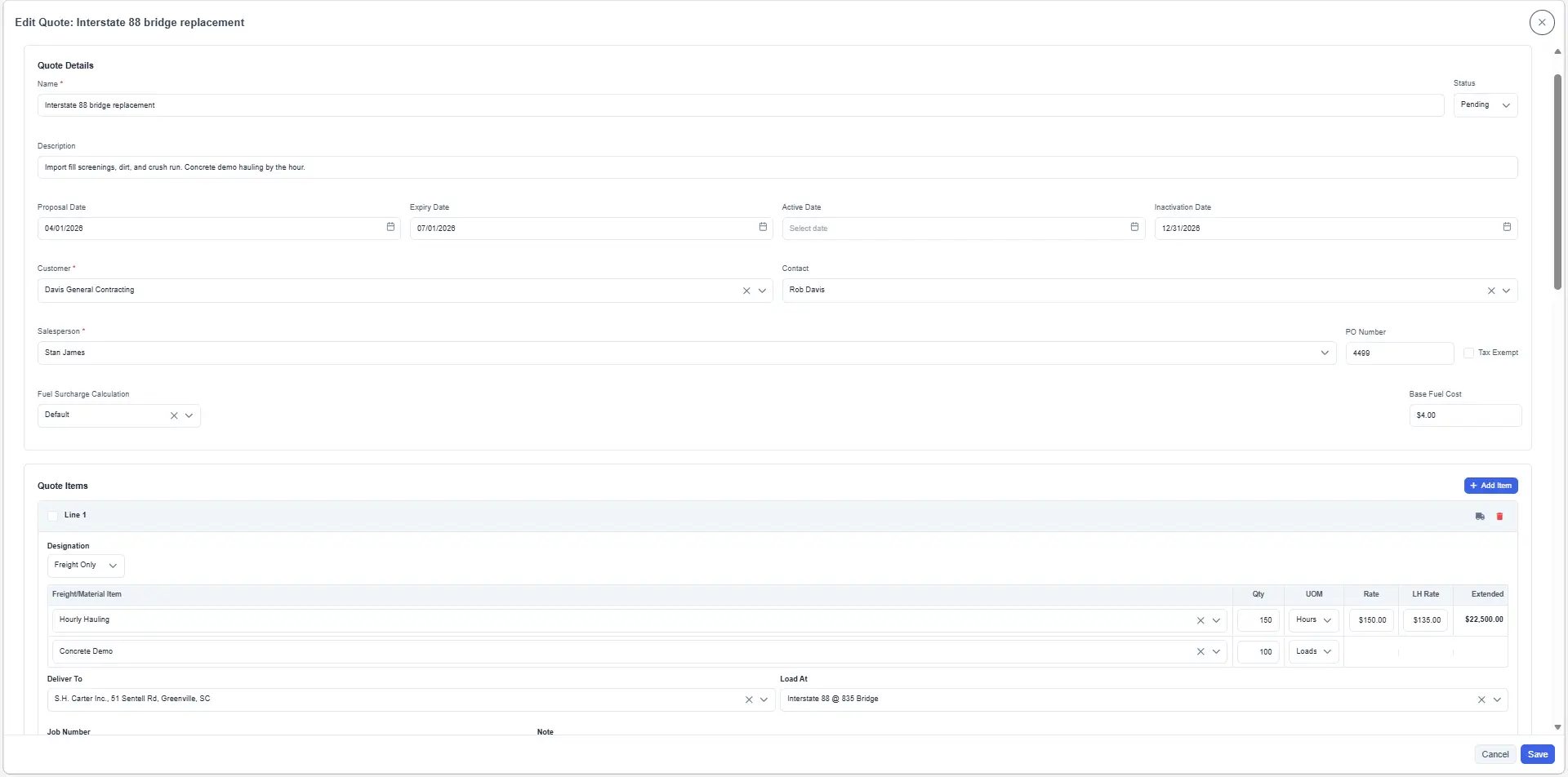
Start the quote
Pick the customer, contact and salesperson, give the quote a name your team will recognize, and set its proposal and expiry dates and PO number.
Price every line
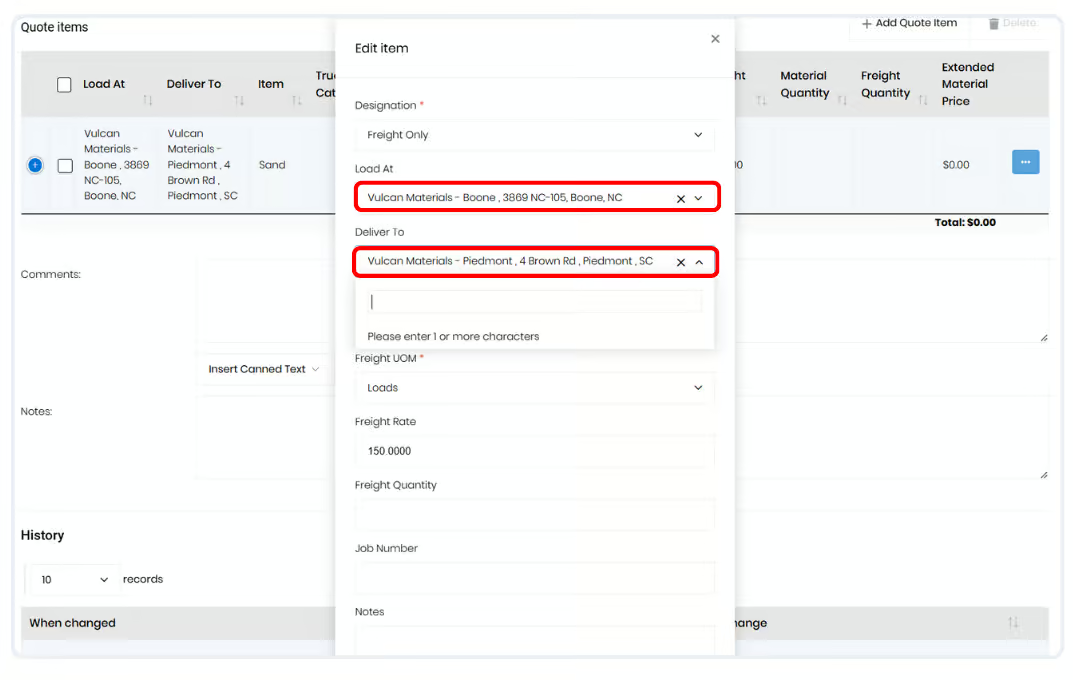
Each line says where to load and where to deliver, whether it's freight only or freight and material, and the rate by the ton, load or hour.
Set the fuel surcharge
Choose the fuel surcharge calculation and base fuel cost on the quote itself, so the surcharge is agreed before the first truck rolls.
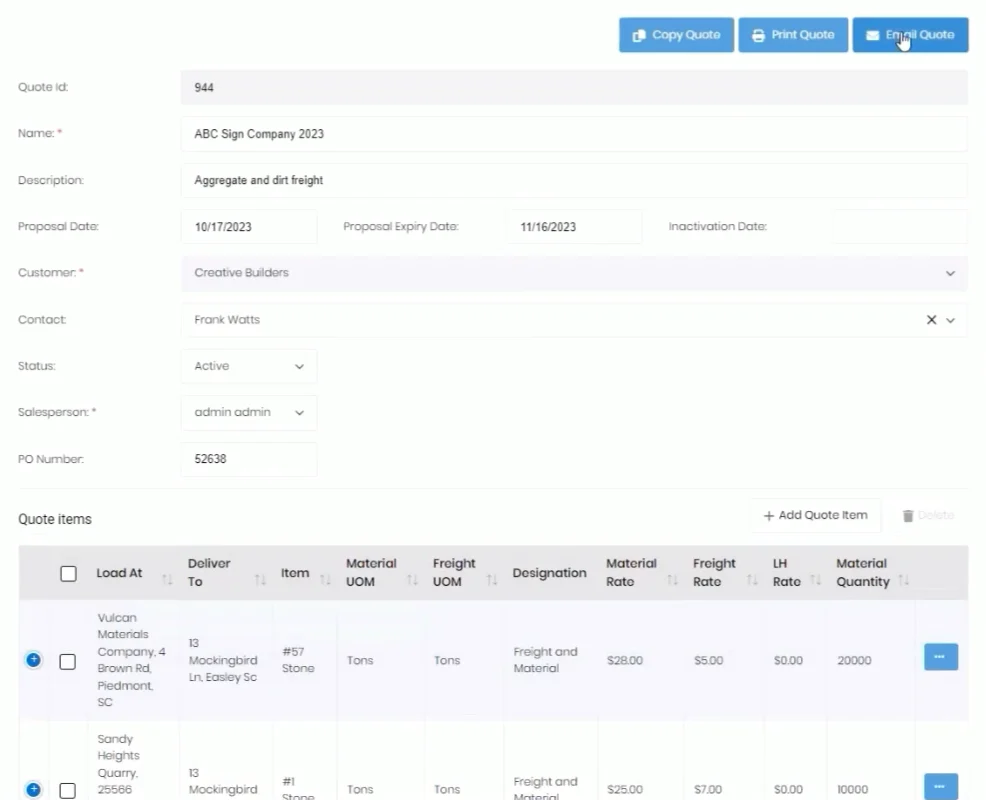
Send it to the customer
Email the quote to the customer's contact or print it. Copy an existing quote when a repeat customer asks for a similar job.
Convert it to an order
When the customer accepts, the order fills in from the quote, including prices, contacts and fuel surcharge. Only the quantity ordered is left to enter.
OrdersCompare hauled to quoted
As tickets come in, see how much of each quoted line has been hauled and how much is left, and look back at any change made to the quote.
Job pricing
Rates Built for This Customer and This Job
Generic rate sheets don't fit a job that pulls stone from one quarry and fill from another. Price each line for where the truck loads, where it dumps and what it hauls.
- Separate material and freight rates on every line
- Price by the ton, the load or the hour
- Load and delivery locations set per line
- Notes and instructions carry over to the order and the dispatch
Quote list
Find the Right Quote for a Repeat Customer
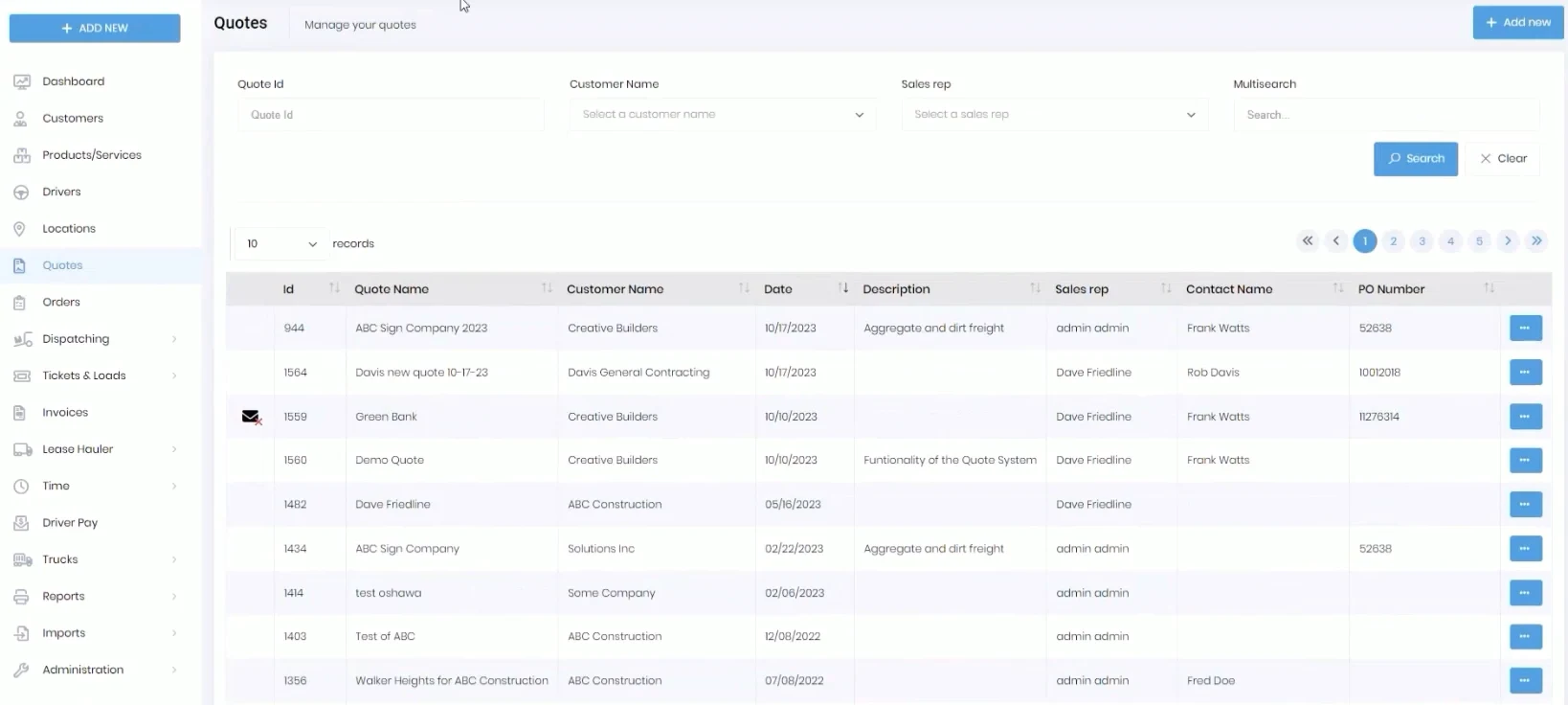
Busy customers ask for several bids at once. Naming each one and searching the list keeps the office from pricing a job off the wrong quote.
- Give every quote its own name, even for the same customer
- Search by quote ID, customer or sales rep
- Copy a past quote as the starting point for a new bid
- Track each quote's status, proposal date and expiry date
Hauled vs. quoted
Know What's Left on Every Quote
Once loads start running, the quote keeps working. Delivered quantities are compared with what you quoted, so you know where the job stands long before it ends.
- Delivered quantities and the remaining balance on each quoted line
- A history of every change to pricing and terms
- Quoted fuel surcharge carried to the order and the invoice
Quoting for Every Kind of Bulk Hauling
The same quote-to-order process fits aggregate, agriculture, logging, liquids and every other kind of bulk hauling.
Frequently Asked Questions
Yes. Create the order from the accepted quote and the customer, contacts, prices and fuel surcharge are filled in for you. You only enter the quantity ordered.
You choose a fuel surcharge calculation and a base fuel cost on the quote. Orders created from the quote inherit that surcharge, and it's calculated automatically from there through to the invoice.
Yes. Each line can be freight only or freight and material, with its own material rate and freight rate, and you can price by the ton, the load or the hour.
Email it to the customer's contact straight from the quote, or print it.
Yes. Bulk Haul Software compares delivered quantities with the quoted quantities, so you can see what's left on each line before the job runs over or under.
Update the quote. Each quote keeps a history of its changes, including pricing and terms, so you can show the customer what was originally agreed.
Bulk Haul Software is the next generation of Dump Truck Dispatcher and has all of its quoting functionality and more.