Driver pay statements
Trucking Payroll Software for Bulk Hauling Companies
Pay drivers from the same verified tickets you bill your customers from. Bulk Haul Software works out hourly, production and prevailing wage pay for every driver, then turns any pay period into a driver settlement you can review, edit and print.
The Driver Pay Process in Bulk Haul Software
Hours and tickets recorded during the day become the pay statement at the end of the period, without a second round of data entry.
Set your pay rules once
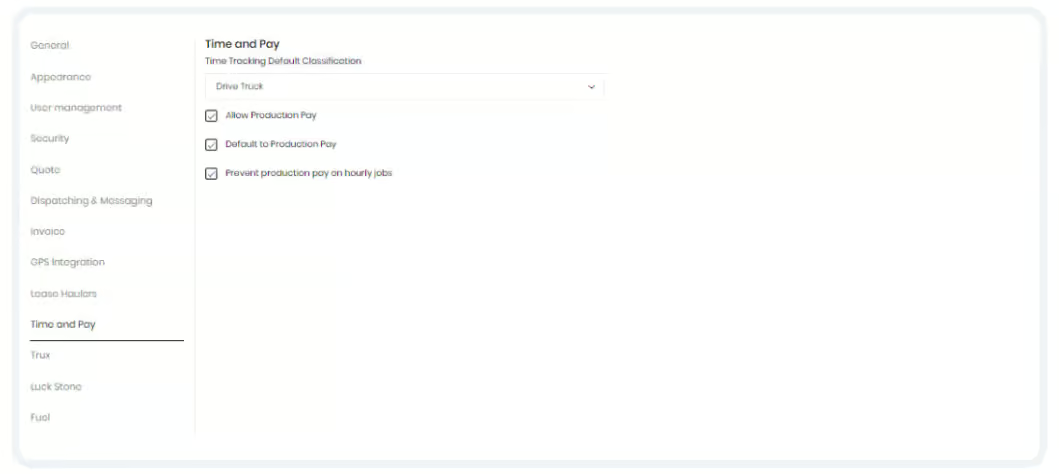
Pick hourly, production or a mix as the company default, decide whether production pay is allowed, and keep it off jobs you pay by the hour.
Hours and loads are recorded on the job
Drivers clock in and out in the driver app, and every load they haul is tied to a ticket, so the pay period builds itself as the work gets done.
Driver appTickets are verified first
AI reads the ticket number and quantity from the driver's photo. Tickets that match are marked Verified, and the rest stay Unverified for the office to review.
Tickets and invoicingProduction pay is figured from tickets
Production pay comes straight from the tickets and the driver's pay rate, so nobody adds up tickets by hand. Prevailing wage rates are supported for jobs that require them.
Build statements for any pay period
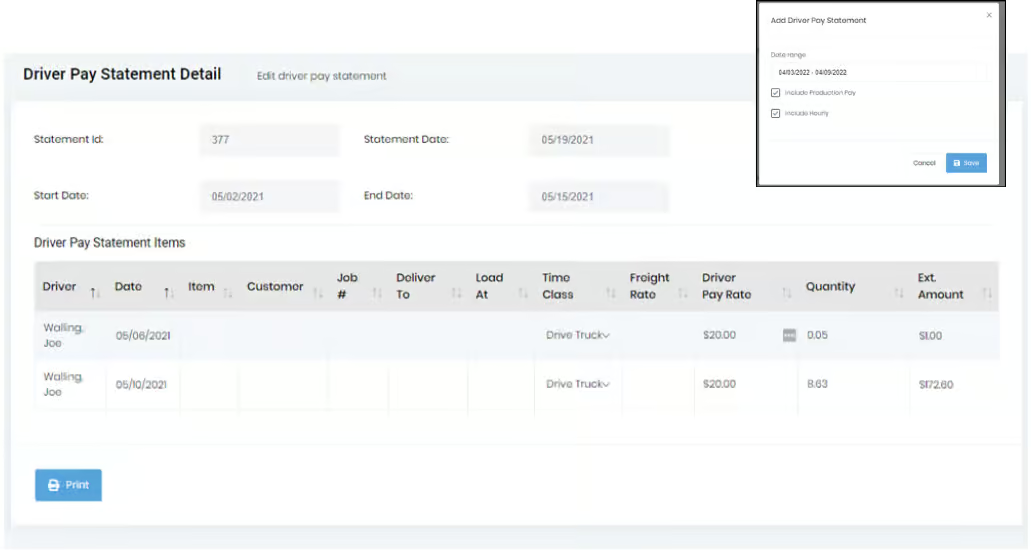
Choose a date range and the pay to include, such as hourly, production, vacation and holiday pay, and a statement is created for each driver.
Review, then hand them out
Check and edit each statement, then print it or share it with the driver. Lease hauler statements come from the same tickets.
Subcontractors
Pay rules
Hourly, Production and Prevailing Wage Pay in One System
Many bulk haulers pay some drivers by the hour, some on production, and some both ways. Set the rules for your company once, and every statement follows them.
- Default to hourly, production or mixed pay
- Turn production pay on or off for each job
- Keep production pay from landing on an hourly job
- Prevailing wage pay rates for jobs that require them
Driver settlements
A Pay Statement Every Driver Can Follow
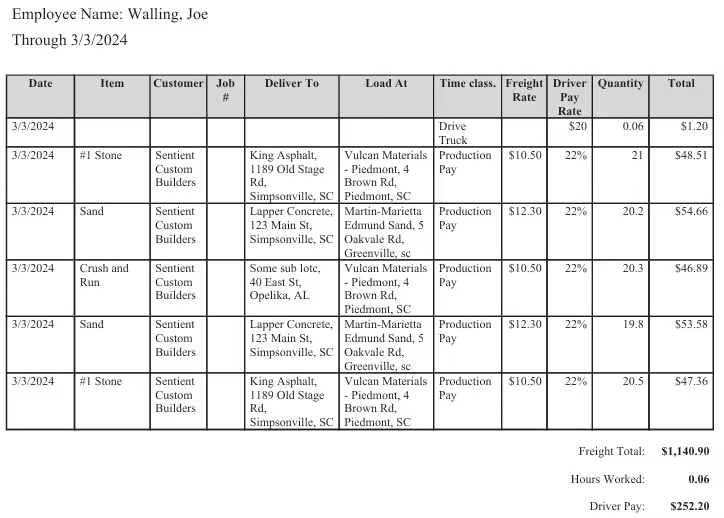
When a driver questions a check, the answer is on the statement. Each one shows the loads and hours behind the total, so the conversation takes a minute instead of an afternoon of digging through tickets.
- Driver name, pay period and a line for every load
- Hourly and production earnings shown separately
- Vacation and holiday pay when you include them
- Edit any statement before you print or share it
Subcontractor pay
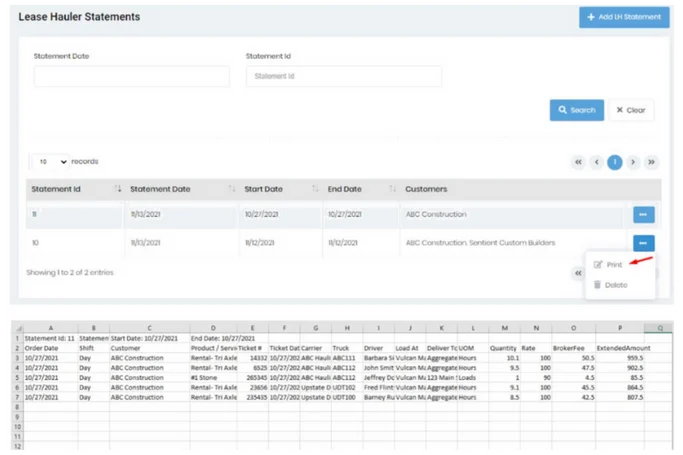
Lease Hauler Pay From the Same Tickets
When subcontractor trucks haul on your jobs, their tickets come into the same system as your drivers' tickets, and their pay is worked out the same way.
- Lease hauler statements from tickets and agreed rates
- One set of verified tickets for the invoice, driver pay and sub pay
- Statements listed by date with the loads behind each one
Driver Pay for Every Kind of Bulk Hauling
Hourly, production and prevailing wage pay work the same way for aggregate, construction, agriculture, logging, liquids and public works hauling.
Frequently Asked Questions
Yes. Set hourly, production or mixed pay as your default, then allow or block production pay job by job. Production pay can be kept off hourly jobs, so a load isn't paid the wrong way.
Yes. Prevailing wage pay rates are supported for the jobs that require them, and pay statements are built from the same tickets you bill from, prevailing wage rates included.
A driver settlement is the statement that shows what a driver earned for a pay period and how it was figured. In Bulk Haul Software it lists each load with its rate, quantity and total, along with hours worked and any vacation or holiday pay you include.
No. Production pay is calculated from the tickets already in the system. When drivers photograph tickets, AI checks the ticket number and quantity, so the office only reviews the tickets it couldn't verify.
Yes. Lease hauler pay statements are calculated from their tickets and the rates you agreed, the same way driver statements are.
Driver pay and subcontractor pay statements are part of the Pro plan.
Bulk Haul Software is the next generation of Dump Truck Dispatcher and has all of its driver pay functionality and more. Extracting data from ticket images is one of the new features, so production pay is figured from tickets checked against the driver's photo.