Revenue reports
Fleet Reporting Software for Bulk Hauling Companies
See what every truck, driver and customer brought in, split into freight, material and fuel surcharge, and what's left once fuel and driver pay come out. Bulk Haul Software builds its reports from the tickets you already invoice, so there's no spreadsheet to keep up.
The Revenue Reporting Process in Bulk Haul Software
Reports come from the tickets your drivers already turn in, so the numbers are ready when you are.
Every load becomes a ticket
Drivers photograph tickets in the app and AI reads the ticket number and quantity. Paper tickets can still be keyed in at the office.
Driver appTickets carry the dollars
Revenue from each load is recorded as freight, material and fuel surcharge, from the same tickets your invoices are built from, so reporting needs no extra entry.
InvoicingThe dashboard keeps up
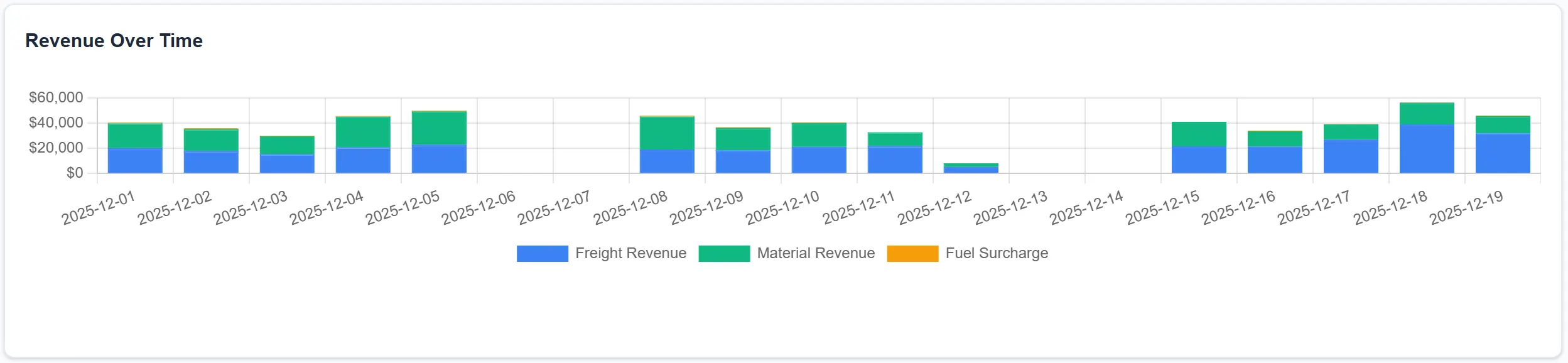
Total revenue, revenue per truck and revenue over time update as tickets come in, for whatever date range you pick.
Analyze revenue four ways
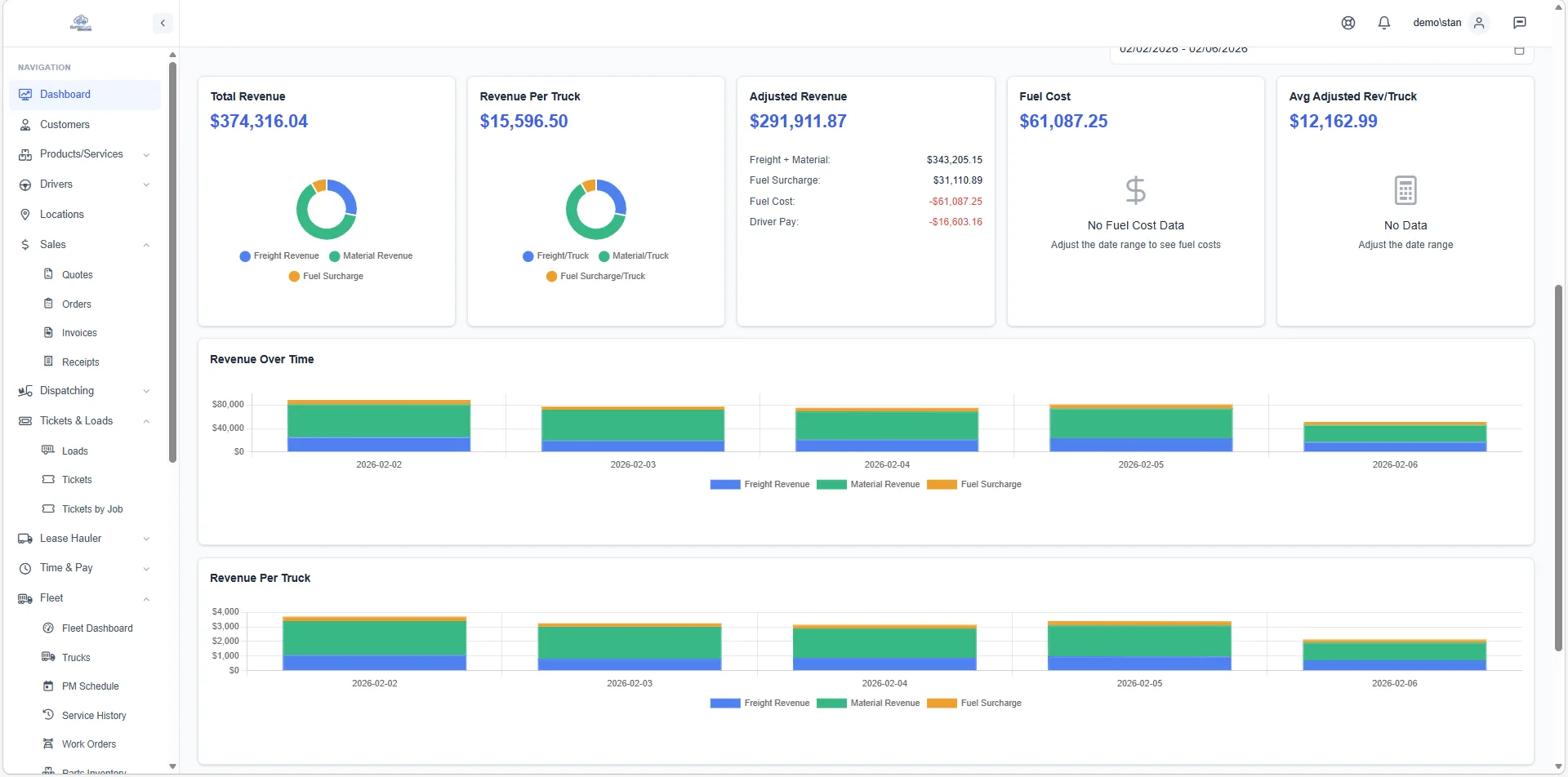
The Revenue Analysis Report breaks revenue down by driver, truck, customer or date, for your own trucks, lease haulers or both.
Take out fuel and driver pay
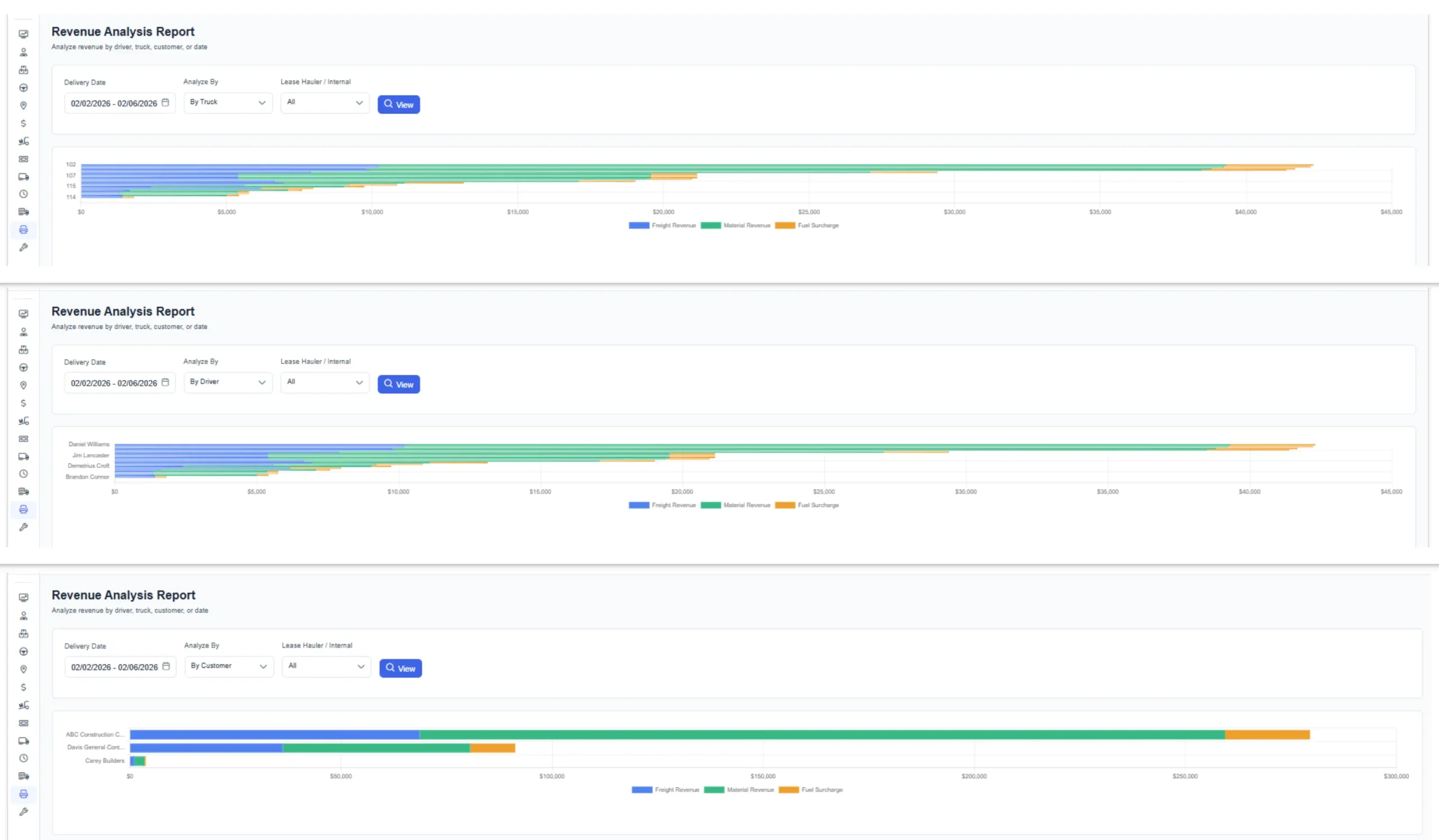
Adjusted revenue subtracts fuel cost and driver pay from freight, material and fuel surcharge, in total and as an average per truck.
Driver payCheck the fleet beside the numbers
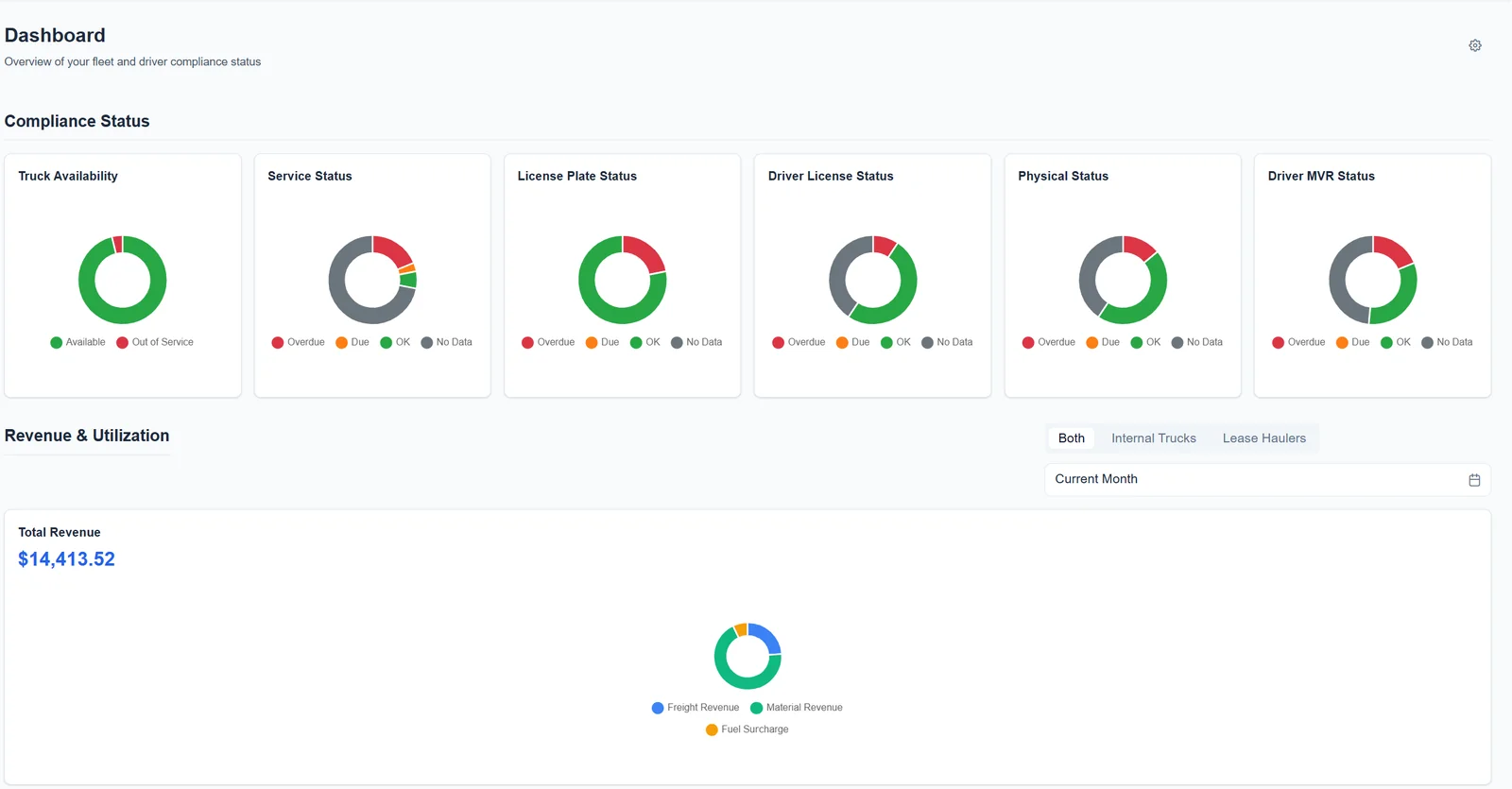
The fleet dashboard puts truck availability, service status and driver license, physical and MVR status next to revenue.
DOT compliance
Revenue analysis
Revenue by Truck, Driver, Customer and Date
One report answers the questions owners ask most: which trucks earn their keep, which drivers haul the most, and which customers the business depends on.
- Pick a delivery date range and analyze by driver, truck, customer or date
- Every bar split into freight, material and fuel surcharge
- Show your own trucks, lease haulers or both
- Group by day, week or month to see trends
Trends and margins
See the Trend, and What's Left After Fuel and Pay
Gross revenue is only part of the picture. Next to it, the dashboard shows adjusted revenue, with fuel cost and driver pay already taken out, so a strong week on paper can be checked against what it cost to run.
- Total revenue and revenue per truck for any date range
- Adjusted revenue after fuel cost and driver pay
- Average adjusted revenue per truck
- Revenue charted day by day to spot busy and slow stretches
Fleet reporting
Fleet Status Beside the Revenue It Produces
Because DOT compliance and truck maintenance live in the same system, the dashboard that shows revenue also shows which trucks and drivers are ready to work.
- Truck availability and service status
- License plate, driver license, physical and MVR status
- Overdue, due and OK at a glance
- Revenue for your own trucks, lease haulers or both
Fleet Reports for Every Kind of Bulk Hauling
Revenue by truck, driver, customer and date works the same for aggregate, agriculture, logging, liquids, mining and public works haulers.
Frequently Asked Questions
The Revenue Analysis Report breaks revenue down by driver, truck, customer or date. The dashboard shows total revenue, revenue per truck, adjusted revenue, fuel cost and revenue over time. Revenue is split into freight, material and fuel surcharge throughout.
The full profit and loss statement still comes from your accounting program. Bulk Haul Software covers the hauling side of it: revenue by truck, driver, customer and date, and adjusted revenue with fuel cost and driver pay taken out. On the Pro plan, invoice data exports to files for QuickBooks Desktop, QuickBooks Online and other accounting programs.
Yes. The Revenue Analysis Report and the fleet dashboard can each show your own trucks, your lease haulers or both.
From the tickets your drivers and office record, the same tickets you invoice from. There is no separate data entry for reporting.
Yes. Choose any date range and view revenue daily, weekly or monthly to see trends and your busiest periods.
Fuel tracking and the enhanced dashboard components are part of the Pro plan.
Bulk Haul Software is the next generation of Dump Truck Dispatcher and has all of its revenue reporting functionality and more. DOT driver and fleet compliance is one of the new features, and its status now sits on the same dashboard as your revenue.