Dispatching
Truck Dispatch Software for Bulk Hauling Companies
Plan tomorrow's work on one color-coded schedule, send every driver their dispatch in one step, by text or the driver app, and hear about problems before your customer does. Bulk Haul Software also checks DOT compliance as you assign, so an out-of-compliance driver or truck doesn't go out.
The Dispatch Process in Bulk Haul Software
From an accepted order to a ticket back in the office, each step feeds the next, so nothing is typed twice.
Orders arrive ready to schedule
Accepted quotes become orders, and recurring jobs can be duplicated and extended instead of entered again.
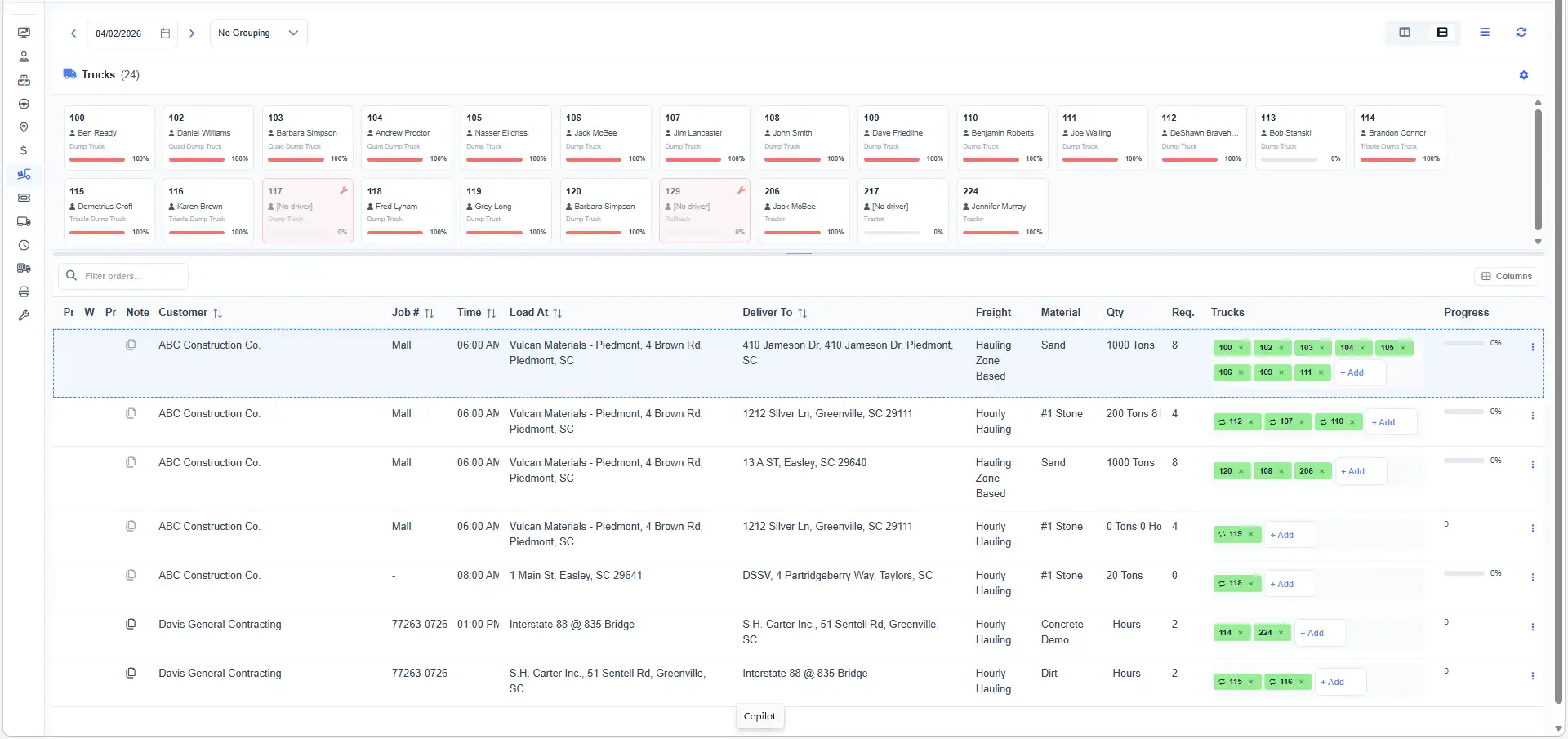
OrdersAssign trucks on a color-coded schedule
Trucks are grouped by type, such as quads, belly dumps and side dumps, and show green, yellow or red as they fill up. When plans change, move trucks between jobs in bulk.
Compliance is checked as you assign
You're warned, or stopped, before you assign a driver whose license, medical card, MVR or DQ file is out of date, or a truck whose registration, annual DOT inspection or service status is.
DOT complianceSend the day's dispatches at once
One click notifies every driver. Drivers with the app get the job, directions and ticket tools. Drivers without it get a text message.
Driver appCatch exceptions early
Alerts flag dispatches nobody has acknowledged, late clock-ins and scheduling conflicts, so you can fix them before the customer calls.
Job monitoringTickets come back to the office
Drivers photograph tickets and AI fills in the details. Verified tickets are ready to invoice the customer and pay the driver.
Invoicing
Dispatch list
Every Open Dispatch on One Screen
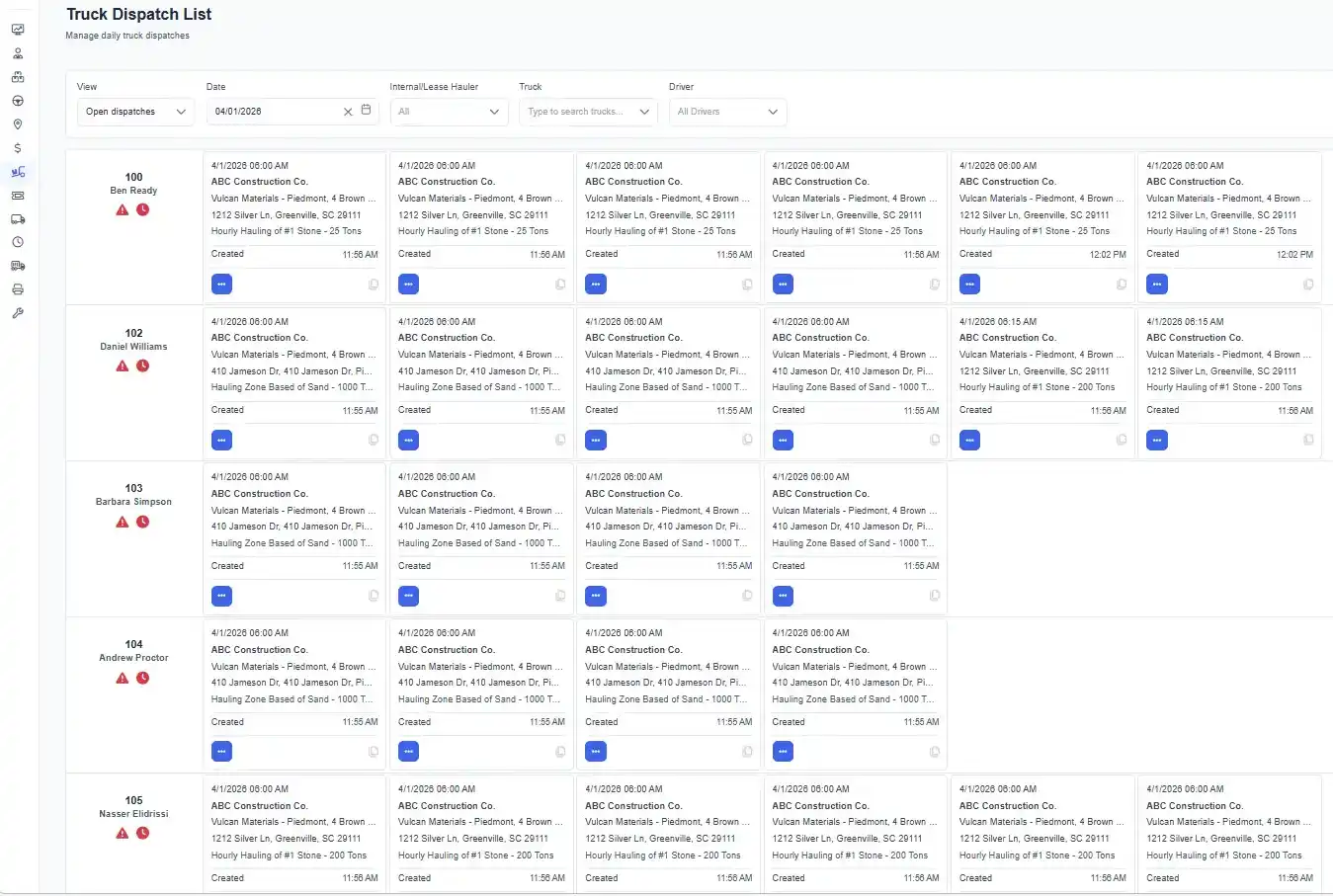
The dispatch list turns the day into cards you can act on, so dispatchers see what needs attention without calling around.
- See which drivers haven't clocked in and which dispatches nobody acknowledged
- Find trucks with no assignment before they sit idle
- Reorder dispatches or change priorities as the day shifts
- Copy, acknowledge or mark a dispatch delivered from its menu
Subcontractors
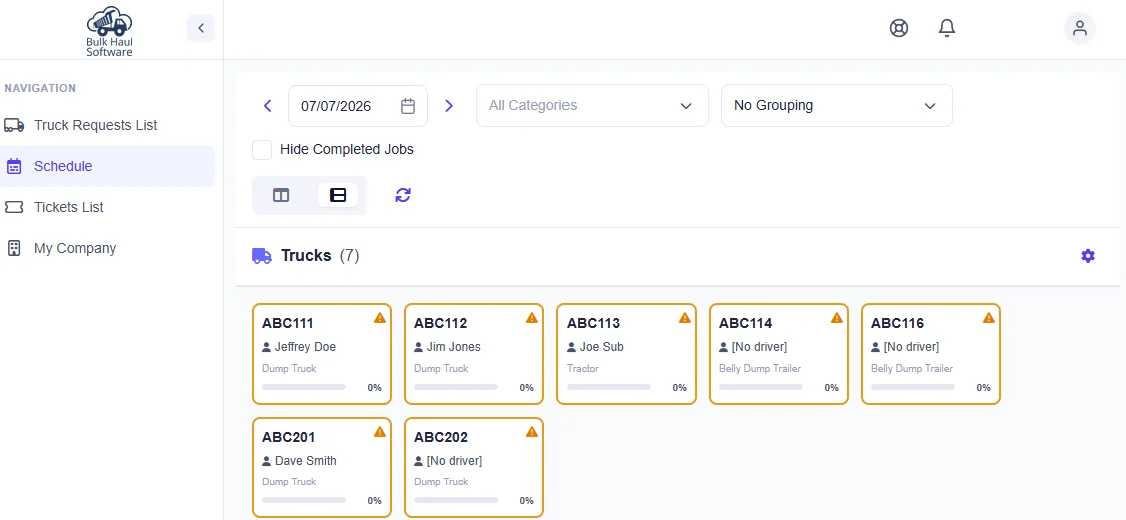
Your Trucks and Your Subs' Trucks on One Schedule
When a big job needs more trucks than you own, lease haulers fit into the same schedule and the same dispatch process.
- Add lease hauler trucks and drivers to your schedule
- Subcontractors answer job requests and commit trucks in their own portal
- Track subcontractor insurance and rate their performance
- Text dispatches to sub drivers who don't use the app
Compliance and maintenance
Dispatch With Compliance and Maintenance in Mind
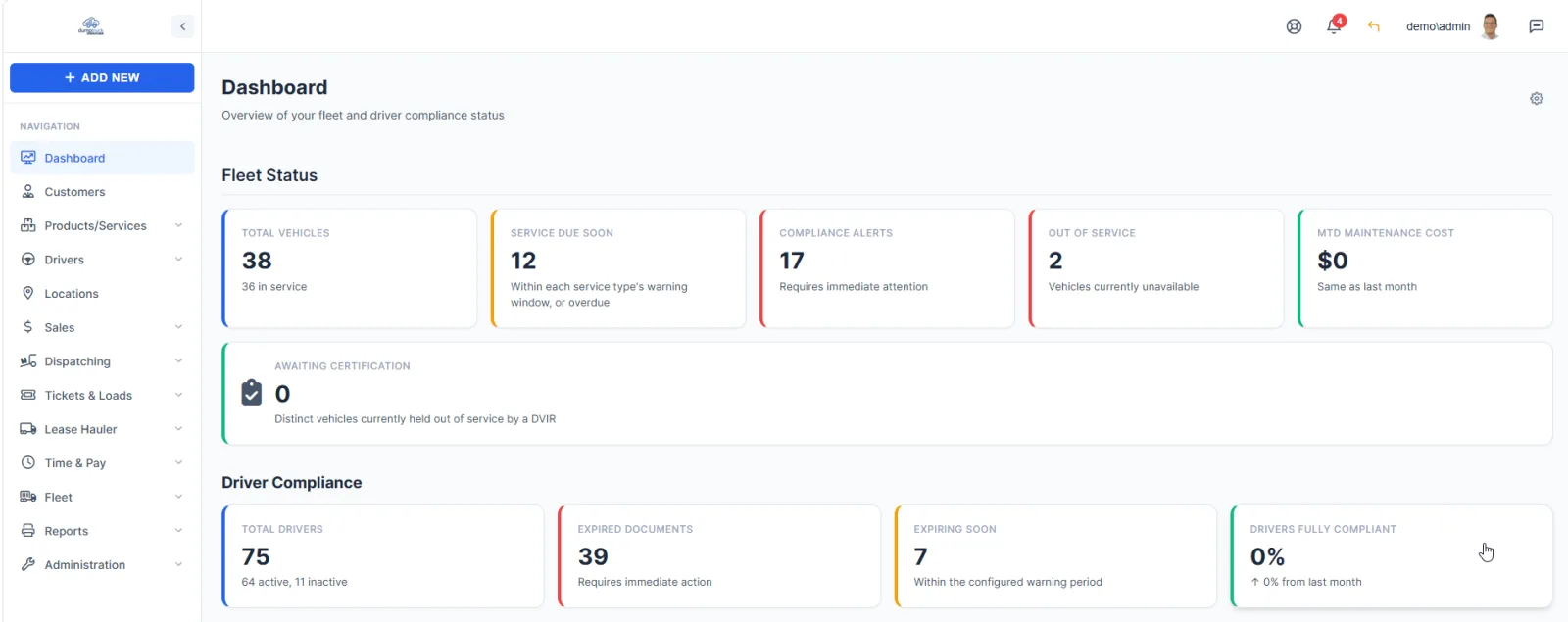
Since DOT compliance and truck maintenance are in the same system as the schedule, the schedule shows the trucks that are out of service and warns or prevents you from dispatching a truck with a driver out of compliance. The system can warn or prevent subcontractors that have no insurance or don't meet other requirements from being dispatched. The dispatcher knows about these problems before a truck leaves the yard.
- Driver license, medical card, MVR and DQ file status checked
- Truck registration, annual DOT inspection and service status checked
- Preventive maintenance, work orders and repair history available to the dispatcher
- Defects drivers report on DVIRs go straight to your maintenance team and if severe take the truck out of service
Dispatching for Every Kind of Bulk Hauling
The same schedule and dispatch tools fit construction, aggregate, agriculture, logging and every other kind of bulk hauling.
Frequently Asked Questions
No. Dispatches can go out by text message. But you may want to use the app for the added functionality. Drivers who use the app also get job-site directions, ticket photo capture, signatures and DVIRs, and the app keeps working when they lose signal.
Dispatches a driver hasn't acknowledged, drivers who are late clocking in, and scheduling conflicts. The dispatch list also shows trucks that have no assignment.
Yes. Lease hauler trucks and drivers go on the same schedule as your own. Subcontractors can also use their own portal to answer job requests and add their own trucks and drivers.
It can warn you or stop the dispatch. Driver license, medical card, MVR and DQ file status, and truck registration, annual DOT inspection and service status, are checked where you dispatch, so an out-of-compliance driver or truck doesn't go out on the road. Subcontractors with no insurance, or that don't meet your other requirements, can be warned about or stopped the same way.
Duplicate the order and extend it to the new dates instead of entering it again. You can also change a job's date and move its trucks in bulk when a customer reschedules.
Dispatching is where Dump Truck Dispatcher started, and Bulk Haul Software is the next generation of that product. Bulk Haul Software has all of the functionality from Dump Truck Dispatcher and more. For example, DOT driver and fleet compliance, stronger Samsara integration, and extracting the data from the ticket images are just some of the new functionality.