Features
Bulk Hauling Software Features, From Quote to Invoice
Bulk Haul Software runs a bulk hauling company in one system: quotes, orders, dispatching, the driver app, tickets, invoicing, and driver and subcontractor pay, with DOT compliance and truck maintenance tied to the schedule. Enter a job once and every step after it already has the details.
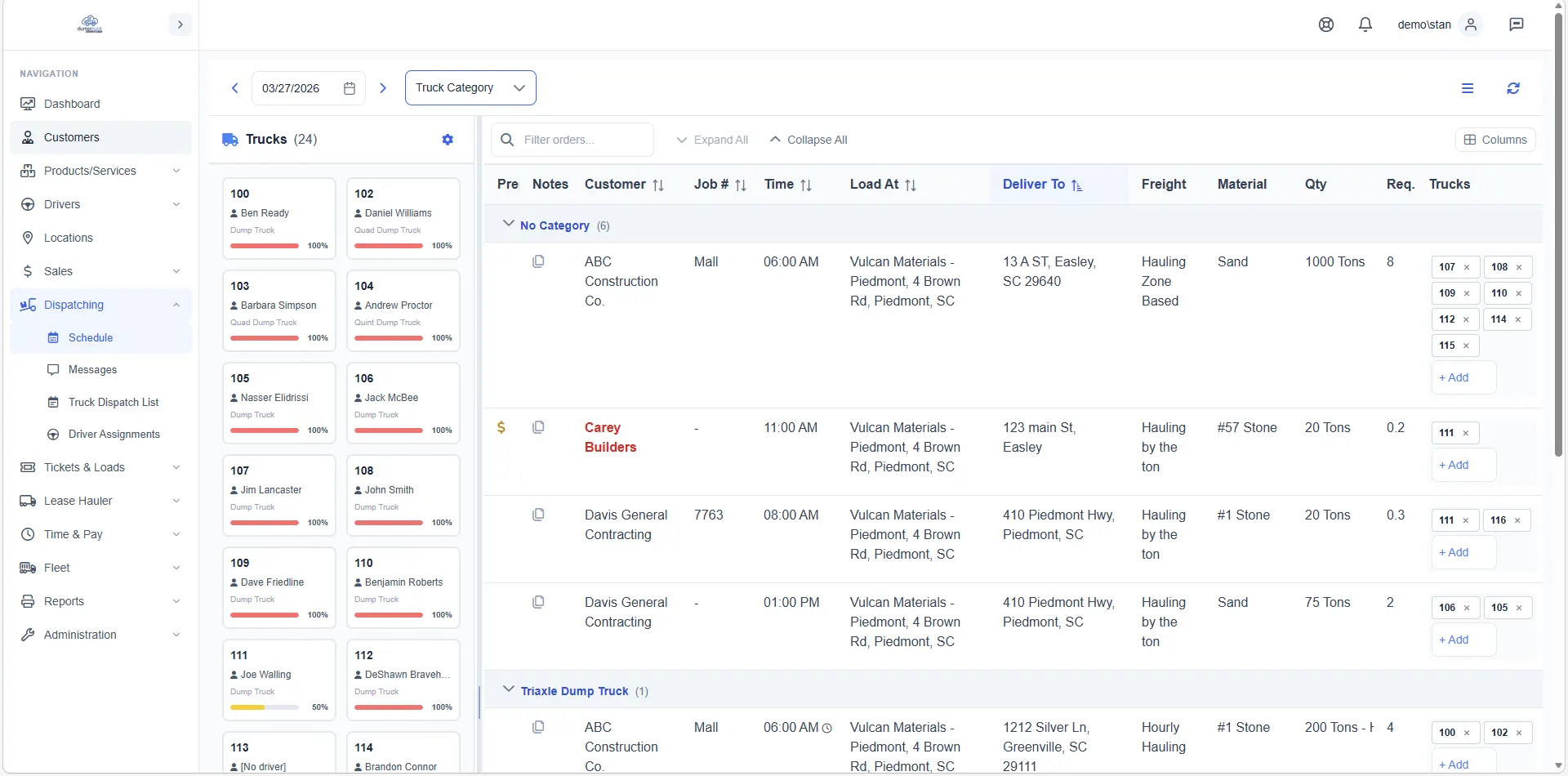
The Hauling Workflow in Bulk Haul Software
Each stage hands its data to the next, from the price you quote to the invoice you send and the pay statements that follow.
Quote
Price each job for the customer it's for, not from a generic rate sheet. When the customer accepts, the quoted pricing carries into the order.
Order
Orders hold the customer, locations, material, trucks needed per day, fuel surcharge and tax. Recurring work is duplicated and extended instead of typed again.
Dispatch
Assign your trucks and your subcontractors' trucks on one color-coded schedule, then send every driver their dispatch at once, by app or text.
Ticket
Drivers clock in, follow directions to the job and photograph tickets for AI to read. Dispatchers are alerted to unacknowledged dispatches and late clock-ins.
Invoice
Verified tickets become invoices for every customer in one batch, and customers download their invoices and tickets from their own portal.
Pay
The same tickets drive hourly or production pay statements for drivers and pay statements for subcontractors, and revenue reports show how each truck and customer performed.
Compliance and maintenance
DOT driver and fleet compliance, preventive maintenance, work orders and DVIRs live in the same system as the schedule. Trucks that are out of service show on it, and you're warned, or stopped, before dispatching a driver or truck that's out of compliance.
Every Feature in Bulk Haul Software
Each feature has its own page with screenshots and details.
Quotes
Customer-specific pricing that flows into the order when the quote is accepted.
Create and manage quotesOrders
Jobs with trucks per day, automatic fuel surcharge and tax, and repeat orders duplicated in a click.
Create and schedule ordersDispatching
A color-coded truck schedule and one-step dispatches to every driver, with compliance checked as you assign.
DispatchingDriver App
Dispatches, directions, clock in and out, ticket photos, signatures and DVIRs on the driver's phone.
Driver appJob Monitoring
Every open dispatch on one list, with alerts for late clock-ins and dispatches nobody acknowledged.
Monitor jobsInvoicing
AI-verified tickets, missing-ticket checks, batch invoices and, on Pro, export to QuickBooks.
InvoicingDriver Pay
Pay statements for hourly, production and mixed pay, built from the tickets drivers already turned in.
Driver paySubcontractor Management and Pay
A portal where lease haulers answer job requests and manage their own trucks and drivers, plus pay statements from their tickets.
Subcontractor managementDOT Compliance
DQ files, medical cards, MVRs, drug and alcohol records, and truck registrations and inspections, checked where you dispatch.
DOT complianceCustomer Portal
Customers view and download their own tickets and invoices instead of calling the office.
Customer portalRevenue and Performance
Revenue by driver, truck, customer and date, split into freight, material and fuel surcharge.
Revenue reportsVehicle Maintenance
PM schedules by date and mileage, one-click work orders, repair history, and DVIR defects routed to the shop.
Truck maintenanceBuilt for Every Kind of Bulk Hauling
Aggregate, agriculture, construction, logging, liquids and more: see how the same features fit your kind of hauling.
Frequently Asked Questions
One. Quoting, orders, dispatching, the driver app, invoicing, driver and subcontractor pay, customer and subcontractor portals, DOT compliance and vehicle maintenance are all in one application, so information entered in one place is available everywhere else.
No. Dispatches can go out by text message. Drivers who use the app also get job-site directions, ticket photo capture, signatures and DVIRs.
On the Pro plan, invoices export to files for QuickBooks Desktop, QuickBooks Online and other accounting programs. Bulk Haul Software also integrates with Samsara, Geotab, Wialon and IntelliShift.
Bulk Haul Software has all of the functionality of Dump Truck Dispatcher and more. DOT driver and fleet compliance, a stronger Samsara integration, and extracting the data from ticket images are some of the new features.
Yes. Bulk Haul Software is the latest version of Dump Truck Dispatcher. When we started this product, we focused on dispatching. Over the years, we expanded beyond what the Dump Truck Dispatcher name suggested. We wanted the name to reflect the broader capabilities, so we rebranded it as Bulk Haul Software.