Maintenance and DVIRs
Maintenance Software Tied to Your Dispatch Schedule
Plan preventive maintenance by date and mileage, open work orders in one click, and let drivers report defects from the DVIR app. Because maintenance lives in Bulk Haul Software with your dispatching, a truck that's down for repairs shows on the schedule before anyone assigns it a load.
The Truck Maintenance Process in Bulk Haul Software
From the service interval to the dispatch schedule, the shop, the drivers and the dispatchers work from the same truck records.
Set up the services each truck needs
Add brake inspections, annual DOT inspections, engine services and anything else your trucks need, each with a reminder interval in days, miles or hours.
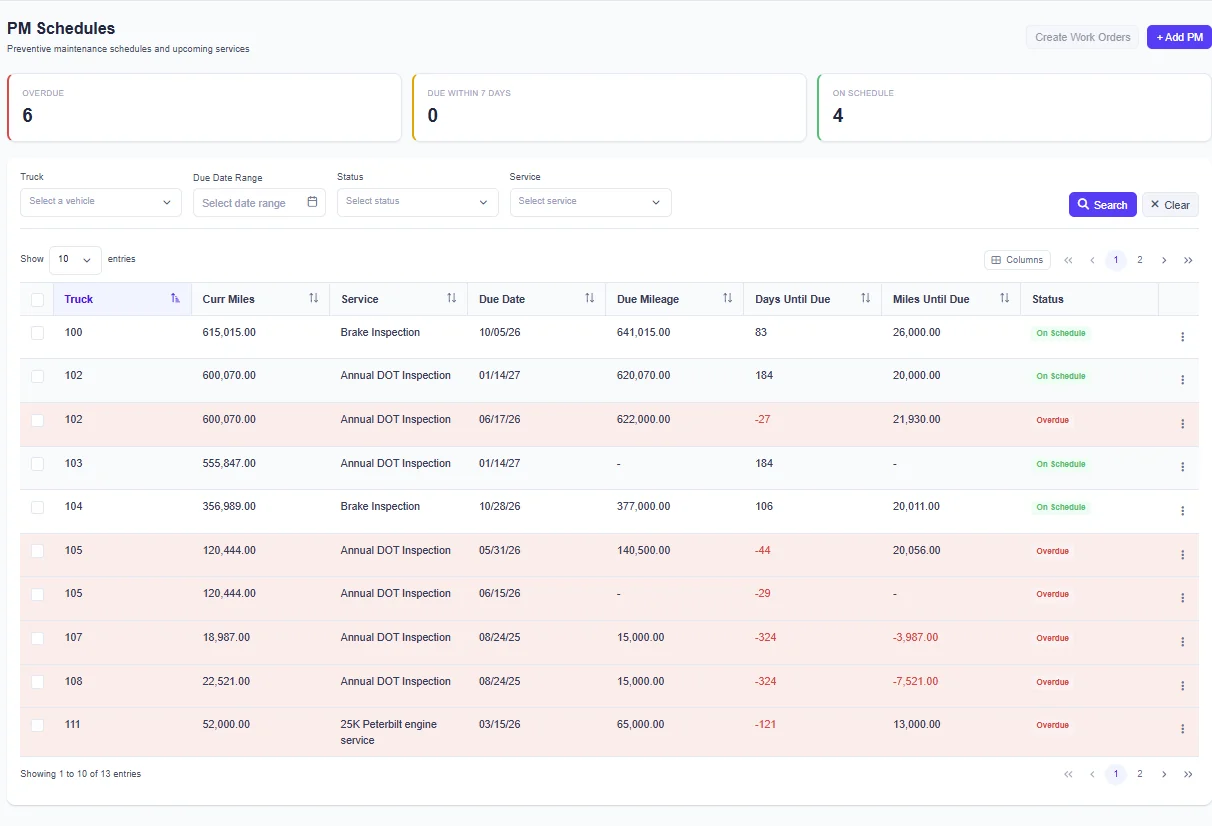
The PM schedule shows what's coming due
Services are listed as overdue, due within seven days or on schedule, by due date and by due mileage, so the shop can plan the week.
Turn due services into work orders
Select services on the PM schedule and create the work orders in one click. Each one records the service, dates, odometer reading, cost and who it's assigned to.
Drivers file DVIRs in the app
Drivers complete their vehicle inspection reports in the same driver app they use for dispatches and tickets, and any defect goes straight to your maintenance team.
Driver appSevere defects take the truck out of service
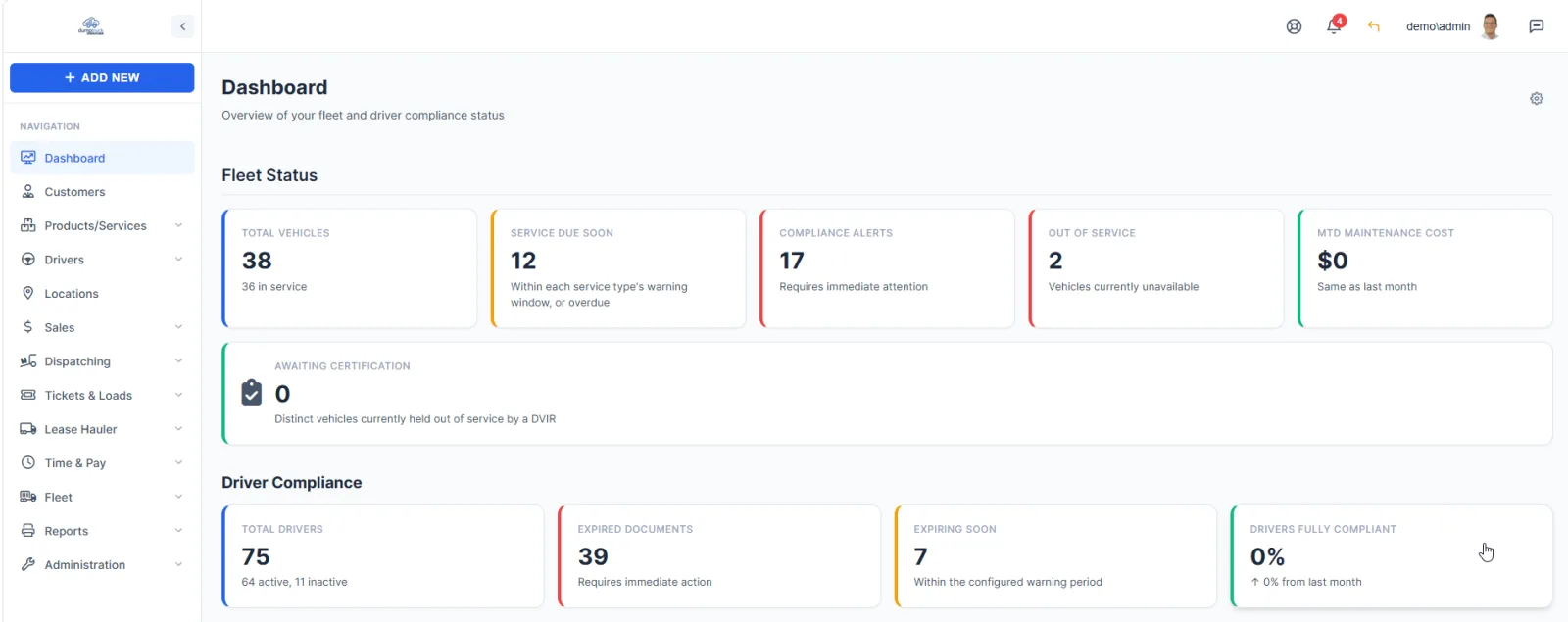
A serious defect on a DVIR pulls the truck out of service, and the dashboard counts it as awaiting certification.
Dispatchers see which trucks can haul
Out-of-service trucks show on the dispatch schedule, so a truck in the shop doesn't get assigned to tomorrow's job.
Dispatching
Preventive maintenance
Service Trucks Before They Break Down on a Job
A truck that fails mid-haul strands a load and leaves a customer short. The PM schedule shows every service that's due across the fleet, so the work gets done between jobs.
- Reminder intervals in days, miles or hours for each service
- Overdue, due within seven days and on-schedule counts at the top
- Filter by truck, due date range, status or service
- Select due services and create their work orders in one click
Work orders and repair history
Know Which Trucks Are Down, and Why
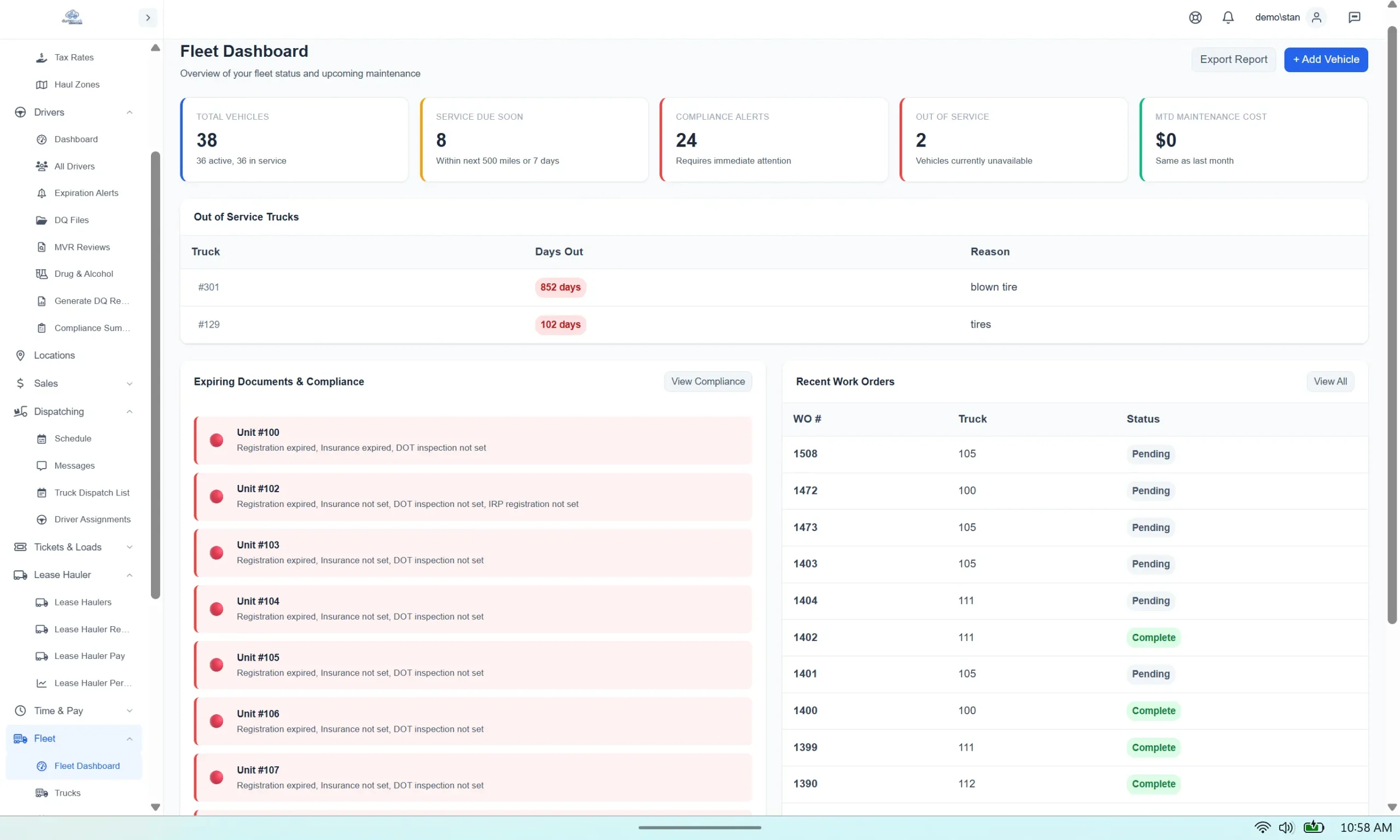
Work orders and the fleet dashboard give the owner, the shop and the dispatcher the same picture of the trucks: what's in the shop, what's coming due, and what the repairs are costing.
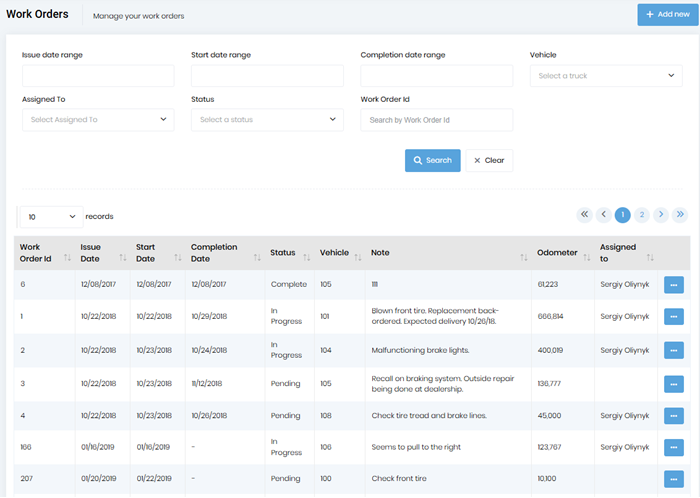
- Work orders record the service, dates, odometer reading, cost and status
- Search work orders by date range, vehicle, status or assignee
- The fleet dashboard lists each out-of-service truck with days down and the reason
- Month-to-date maintenance cost and a repair history for every truck
DVIR app
Driver Inspections That Reach the Shop and the Schedule
On paper, a defect written on a pre-trip report can sit in a truck's door pocket for days. In the Bulk Haul Software driver app, it lands with your maintenance team right away.
- Drivers complete DVIRs in the app they already use for dispatches and tickets
- Reported defects go straight to your maintenance team
- Severe defects take the truck out of service
- Trucks held by a DVIR are counted on the dashboard as awaiting certification
Truck Maintenance for Every Kind of Bulk Hauling
Dump trucks, belly dumps, tankers or log trucks: the same PM schedule, work orders and DVIRs keep them ready for the next job.
Frequently Asked Questions
Yes. Drivers complete DVIRs in the Bulk Haul Software driver app, the same app they use for dispatches and tickets. Defects they report go straight to your maintenance team, and a severe defect takes the truck out of service.
Yes. Each service can have a reminder interval in days, miles or hours, and the PM schedule shows each truck's due date and due mileage with what's overdue or coming due.
Maintenance and dispatching are in the same system, so the schedule shows trucks that are out of service, and the system can warn you or prevent you from dispatching a truck that's out of compliance. Your dispatcher knows a truck is down before assigning it.
Yes. Work orders record the service, dates, odometer reading and cost, building a repair history for every truck, and the fleet dashboard shows month-to-date maintenance cost.
Yes. Fuel entries can be added by hand or imported from fuel usage reports, then edited or deleted as needed.
Bulk Haul Software is the next generation of Dump Truck Dispatcher and has all of its truck maintenance functionality and more. DOT driver and fleet compliance is one of the new features.