Tickets and invoicing
Trucking Invoicing Software for Bulk Hauling Companies
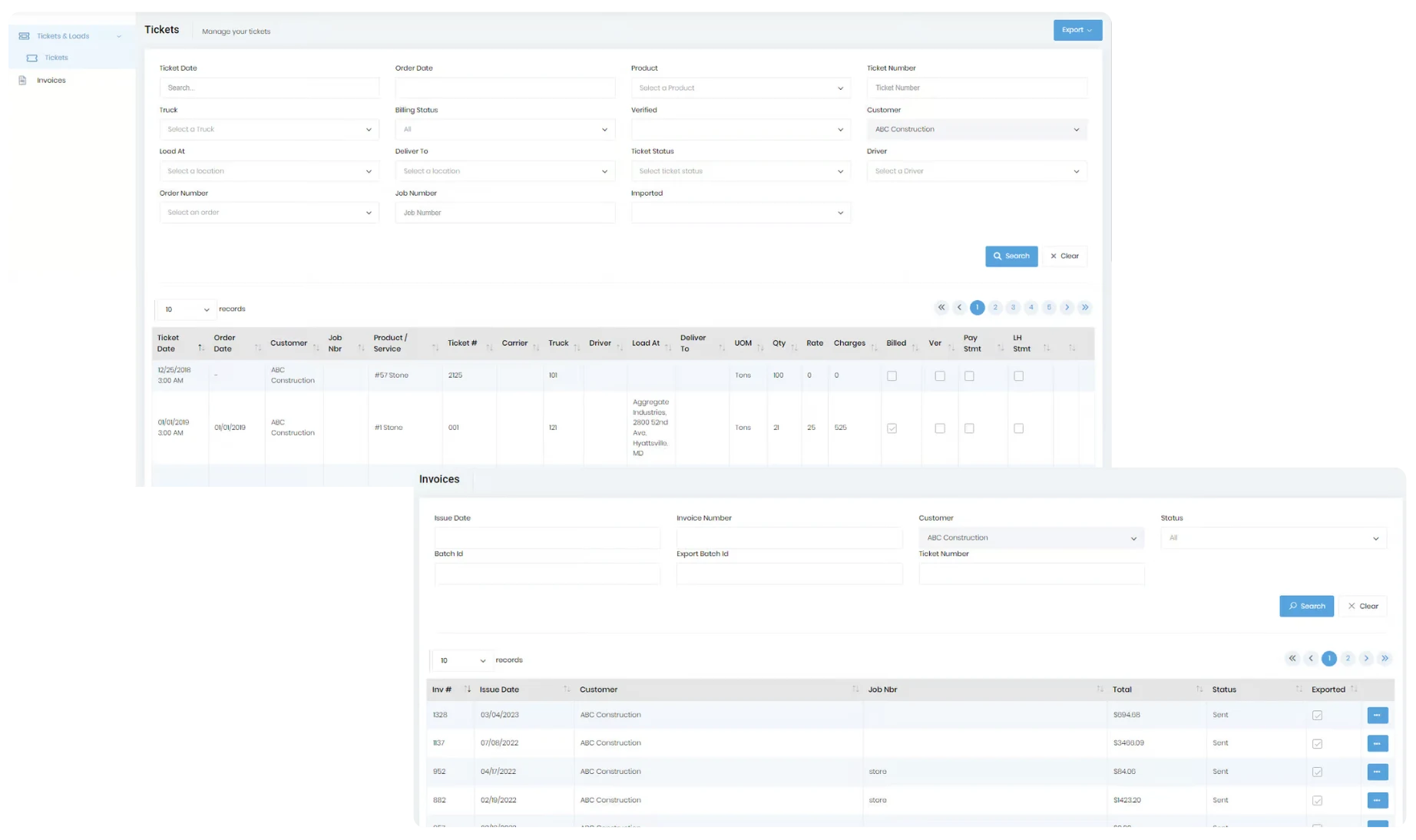
Bill every load you haul, from tickets your drivers already photographed. Bulk Haul Software verifies tickets, flags the missing and duplicate ones, and turns a week of tickets into invoices for every customer in one batch, with fuel surcharges added for you.
The Billing Process in Bulk Haul Software
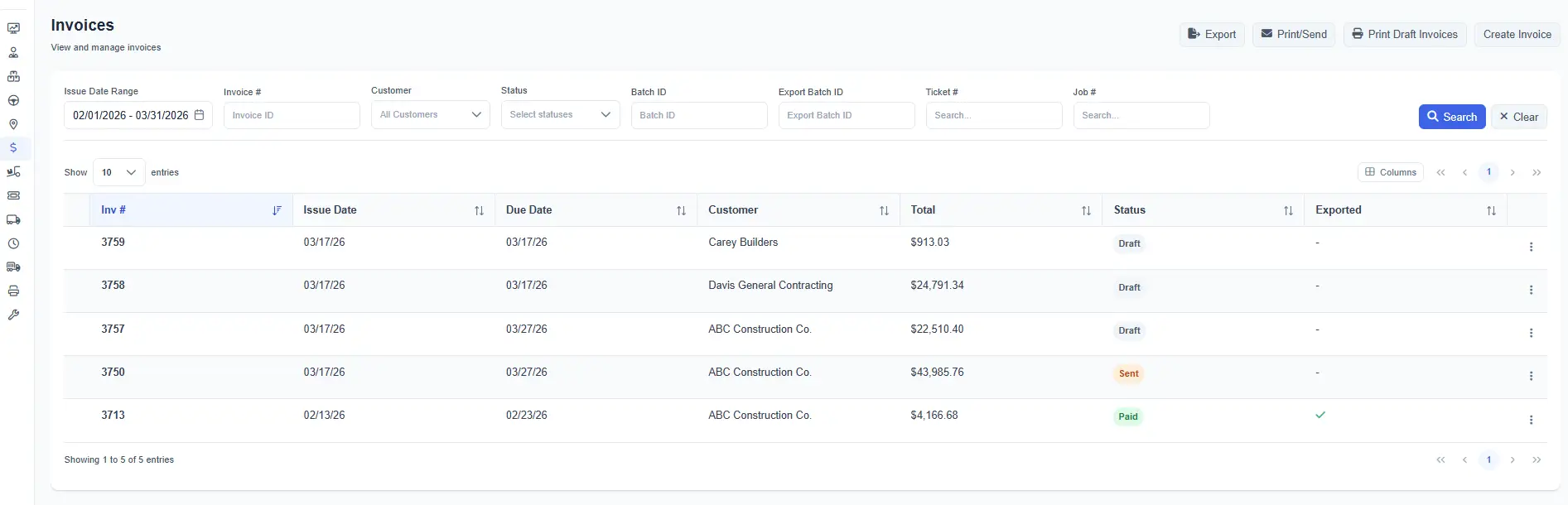
From the ticket in the truck to the invoice in your customer's inbox, nothing is typed twice.
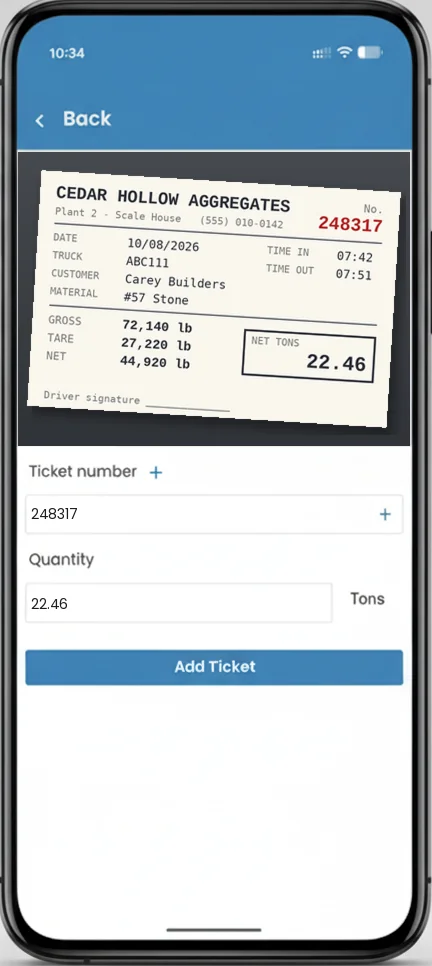
Drivers capture the ticket
Drivers photograph the scale or delivery ticket in the app, and AI reads the ticket number and quantity. Paper tickets can still be keyed in at the office.
Driver appTickets verify themselves
When the photo matches what the driver entered, the ticket is marked Verified automatically. When it doesn't, it stays Unverified for the office to review.
Gaps show up before billing
Missing, duplicate and unverified tickets are flagged, and the Jobs Missing Tickets report shows loads you hauled but can't bill yet.
Invoices build in one batch
Create invoices for every customer at once, with customer, product and location details filled in. More than 1,000 tickets can be invoiced in seconds.
Review, then send
Invoices start as drafts you can edit or delete. Finalize them on your PDF template, then print or email them.
Customers and accounting get the data
Customers download invoices and ticket data from their own portal, and on Pro your bookkeeper gets an export for QuickBooks Desktop, QuickBooks Online or another accounting program.
Customer portal
Ticket capture
Tickets You Can Bill Without Rechecking
A mistyped or missing ticket means a load billed wrong, or not at all. Reading the ticket from a photo catches the problem while the truck is still on the road.
- AI reads the ticket number and quantity from the driver's photo
- Tickets that match are marked Verified automatically
- Tickets that don't match stay Unverified until the office reviews them
Charges
Fuel Surcharges and Taxes Added for You
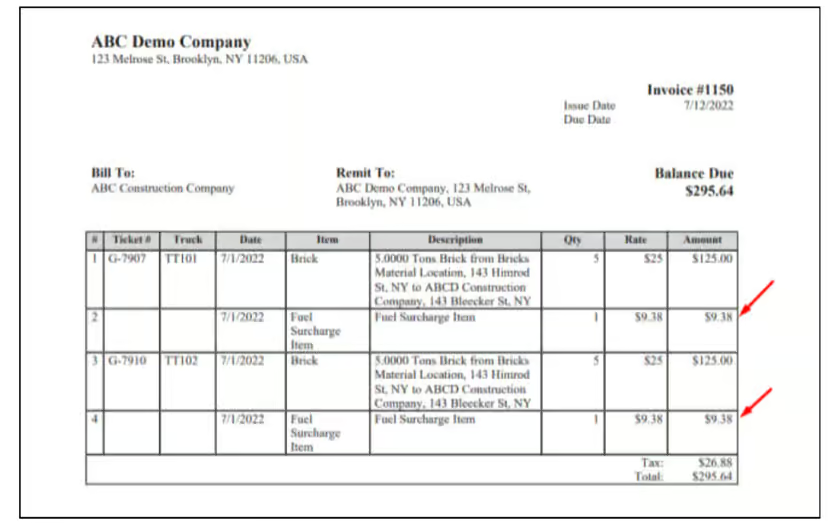
Set each customer's terms once, and every invoice in the batch follows them.
- Automatic fuel surcharge, as line items or one total
- Tax calculation when you need it
- Custom line items and previously unbilled tickets
- Your choice of PDF invoice templates
After the invoice
Invoices Where Customers and Accountants Need Them
Getting paid faster means fewer calls asking for copies, and less retyping into the accounting system.
- Customers view and download invoices and tickets in their own portal
- CSV files of ticket and billing data for customers who reconcile
- Export files for QuickBooks Desktop, QuickBooks Online and others on Pro
- The same verified tickets drive driver and subcontractor pay
Invoicing for Every Kind of Bulk Hauling
The same ticket-to-invoice process fits aggregate, agriculture, logging, liquids and every other kind of bulk hauling.
Frequently Asked Questions
Yes, through export on the Pro plan. Invoices export to files for QuickBooks Desktop, QuickBooks Online and other accounting programs, and the export format can be adjusted to fit your system.
Drivers photograph the ticket in the driver app, and AI reads the ticket number and quantity. If they match what the driver entered, the ticket is marked Verified. If not, it stays Unverified so the office can check it before it's billed.
Fuel surcharges are calculated automatically and can appear as a line on each ticket or as one total on the invoice, to match what you agreed with the customer.
Missing, duplicate and unverified tickets are flagged before you invoice, and the Jobs Missing Tickets report lists jobs that still need tickets, so loads don't go unbilled or get billed twice.
Yes. Customers can log in to a secure portal to view and download their invoices and tickets, so your office doesn't have to resend them.
Bulk Haul Software is the next generation of Dump Truck Dispatcher and has all of its invoicing functionality and more. Reading ticket data from photos is one of the new features.