Lease haulers and subcontractors
Subcontractor Management Software for Bulk Hauling Companies
Give your lease haulers a portal of their own, where they answer job requests, commit trucks and keep their trucks and drivers up to date. Bulk Haul Software tracks each sub's insurance, lets you rate their performance, and can warn you or stop the dispatch when a sub has no insurance.
The Subcontractor Process in Bulk Haul Software
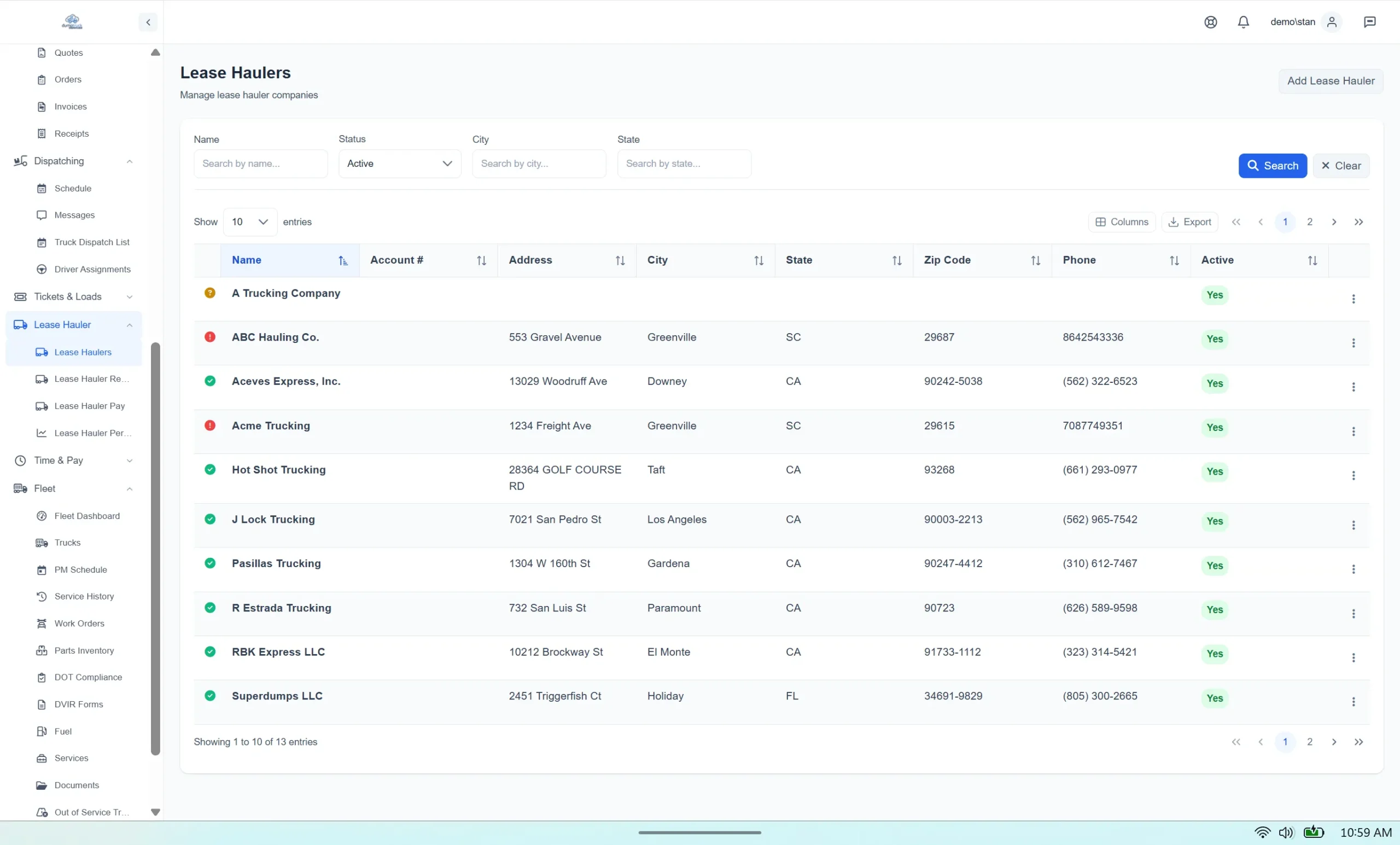
From the first truck request to the sub's pay statement, lease haulers work inside the same system as your own fleet.
Set up each lease hauler once
Enter the company with its contacts, insurance policies, trucks and drivers. After that, the sub can keep much of it current from their own portal.
Subs maintain their own trucks and drivers
In the subcontractor portal, lease haulers add and manage their own trucks and drivers, so your office isn't retyping their changes.
Request trucks for the job
Send a job request, and the subcontractor answers it in the portal and commits the trucks they can send.
Insurance is checked before dispatch
Every sub's policies and expiration dates are on file. You can be warned, or stopped, before dispatching a sub with no insurance or one that misses your other requirements.
Dispatch sub trucks by text or the app
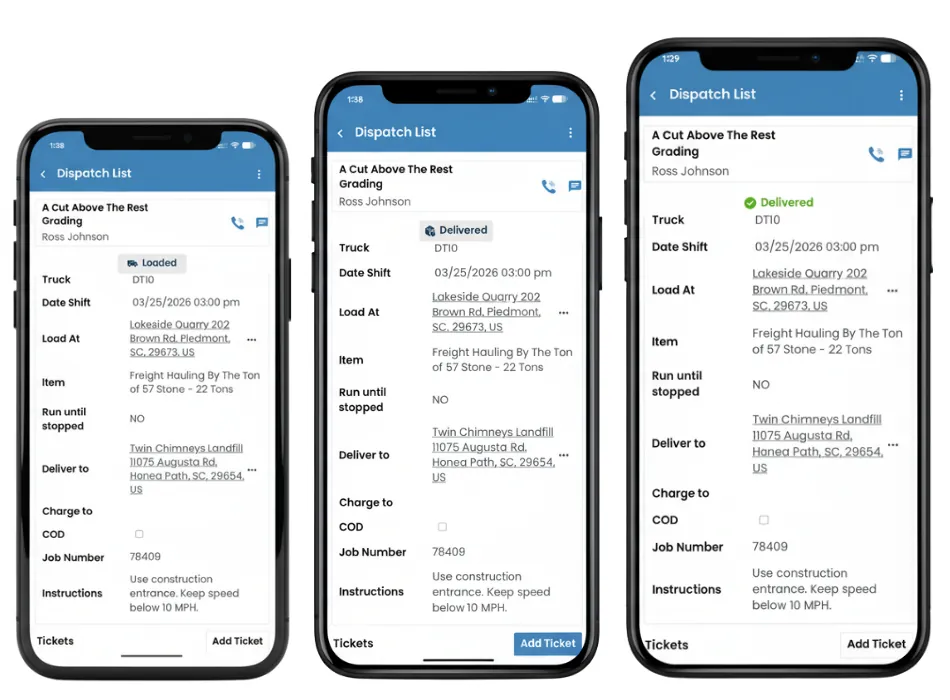
Sub trucks go on the same schedule as yours. Drivers without the app get a text message. Drivers with it get directions, ticket photo capture, signatures and DVIRs.
DispatchingTickets become sub pay
Their tickets come in alongside your own drivers' tickets, and lease hauler pay statements are calculated from those tickets and the rates you agreed.
Driver and sub pay
Subcontractor portal
A Portal Your Subs Run Themselves
Calling around for trucks and keeping a spreadsheet of every sub's drivers eats up a dispatcher's morning. The portal hands that work to the people who already know the answers.
- Answer job requests and commit trucks online
- See their own trucks on the schedule for the day
- Add and manage their own trucks and drivers
- Look up their tickets without calling your office
Insurance and requirements
Keep Uninsured Sub Trucks Off Your Jobs
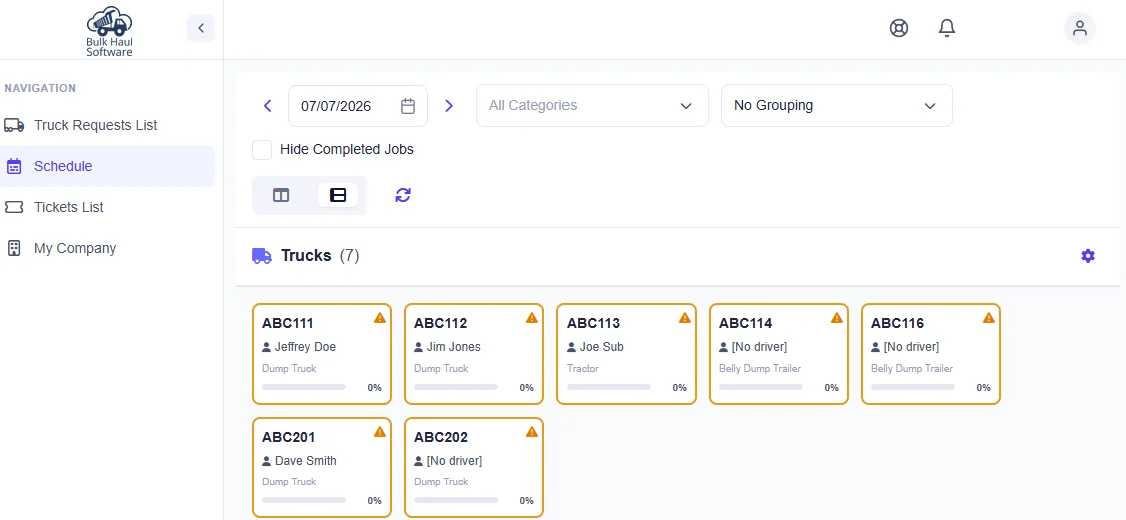
A policy that lapsed last week is something to catch before the truck is dispatched, not after a claim. Bulk Haul Software keeps every sub's policies on file and checks them where you dispatch.
- Policy type, dates and coverage limit for each lease hauler
- Alerts when a truck has missing or expired insurance
- Warn or stop dispatching subs with no insurance or that miss other requirements
- Rate each subcontractor's performance
Dispatching subs
Dispatch Sub Trucks by Text or the App
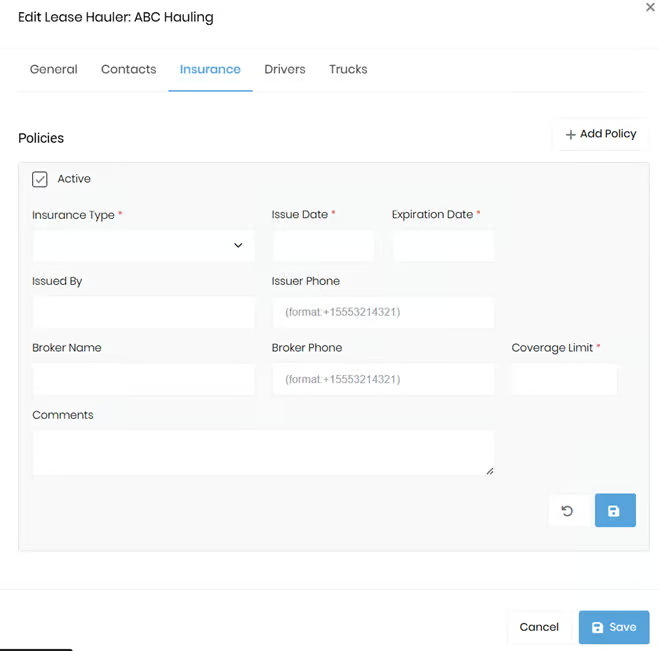
Lease hauler trucks go on the same schedule as your own, so a big job that needs extra trucks is planned and dispatched in one place.
- Sub trucks and your trucks on one schedule
- Text dispatches to sub drivers who don't use the app
- Follow load status when sub drivers use the app
- Sub tickets feed customer invoices and lease hauler pay
Subcontractor Management for Every Kind of Bulk Hauling
Aggregate, construction, agriculture, logging and public works haulers all bring in lease haulers when the work outgrows the fleet.
Frequently Asked Questions
They answer job requests, commit trucks, see their own schedule, and add and manage their own trucks and drivers. Their updates reach your system without your office entering them again.
Each lease hauler's policies are kept with their type, expiration date and coverage limit, and you're alerted when a truck has missing or expired insurance. You can also have the system warn you, or stop the dispatch, when a sub has no insurance or doesn't meet your other requirements.
No. Dispatches can go out by text message. Sub drivers who use the app also get job-site directions, ticket photo capture, signatures and DVIRs, and you can follow their load status as they work.
Yes. Bulk Haul Software lets you rate each subcontractor's performance, in addition to tracking their insurance.
Lease hauler pay statements are calculated from their tickets and the rates you agreed, so sub pay comes from the same tickets you invoice your customer from.
If owner-operators or lease operators haul for you as subcontractors, you set them up as lease haulers. They get the portal, their insurance is tracked, and their pay statements come from their tickets.
Bulk Haul Software is the next generation of Dump Truck Dispatcher and has all of its lease hauler management functionality and more.