Telematics and Fleet Management: What’s the Difference?
If you manage trucks for vocational hauling operations, you’ve probably heard telematics and fleet management used as if they mean the same thing. They don’t. The mix-up usually comes from the fact that both deal with fleet operations, and both promise better visibility.
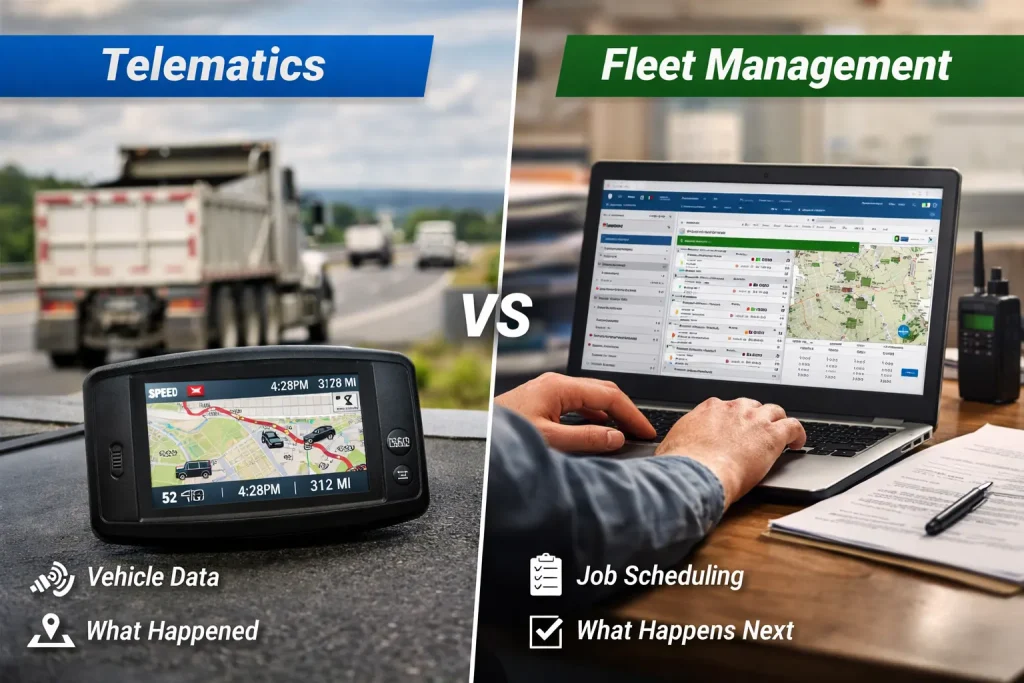
The difference is straightforward. Telematics focuses on monitoring the vehicle and location status through vehicle tracking. Fleet management focuses on how the work is planned, organized, and how job status is tracked for each truck. One collects vehicle data and location. The other helps teams coordinate jobs, drivers, and daily operations.
Once a fleet grows beyond a few trucks, that difference starts to matter. Dispatch, job tracking, and visibility all depend on choosing the right tool for the right job. This guide analyzes both telematics and fleet management applications in a way that makes it easier to see where each one fits.
What Telematics Software Focuses On
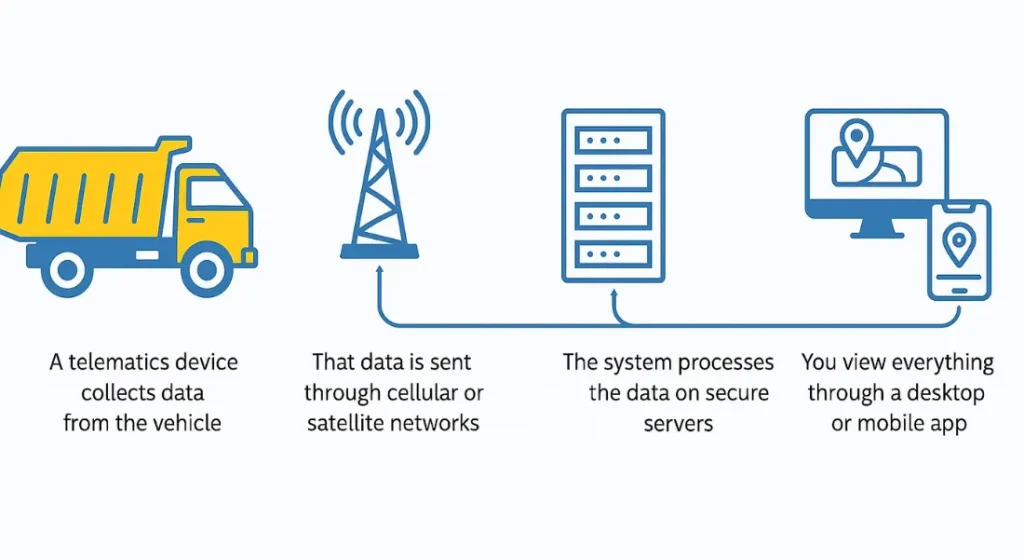
Telematics is built to watch the truck, not manage the work around it. It sits in the background and reports what the vehicle is doing as the day unfolds.
What Telematics Tracks Day to Day
On a normal workday, telematics answers simple questions. Where is the truck right now? Is it moving or sitting still? Is it idling longer than expected? Did the driver hard brake or speed between stops?
This information comes from sensors and onboard systems. It’s the same type of telematics data used to monitor truck location and vehicle health that many fleets rely on to understand how equipment is being used in the field. Dispatchers and managers don’t have to call drivers just to confirm where a truck is or if it’s still running.
Where Telematics Fits in General Hauling
Telematics is most useful when the goal is visibility. It helps owners see how trucks behave once they leave the yard and where time or fuel might be slipping away.
For example, idling reports often show if the trucks are sitting longer than planned between jobs or have had excessive idling time at a loading or delivery site. That’s where idling affects fuel use and operating costs becomes clearer. The system doesn’t explain why the delay happened, but it does show that it’s happening, which gives managers something concrete to address.
What telematics doesn’t do is organize jobs or tell drivers what comes next. It reports activity. It doesn’t coordinate the work.
What Fleet Management Software Covers Instead
Fleet management software lives on the office side of the operation. It’s built to organize the work around trucks, drivers, and jobs, so the day doesn’t turn into a string of calls and guesswork.
How Fleet Management Software Supports Daily Operations
On a busy morning, dispatchers aren’t thinking about sensors or engine data. They’re trying to line up jobs, trucks, and drivers without falling behind before noon.
Fleet management software helps by keeping that work organized in one place:
Trucks can be reassigned quickly if a site runs late or a vehicle goes down
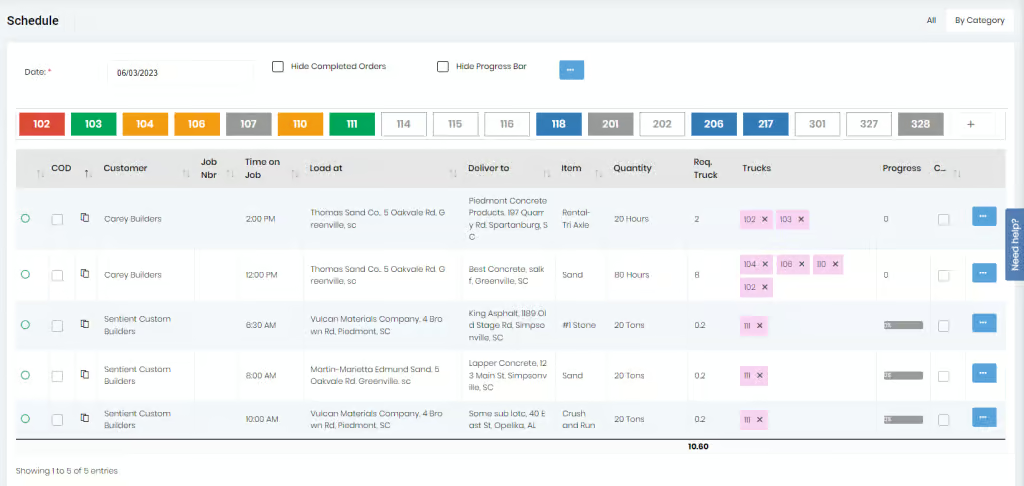
Dispatchers can see which drivers are working, waiting, or finished
Everyone works from the same schedule instead of separate spreadsheets or boards
Once jobs are set, dispatching trucks and coordinating daily work from a central board keeps the day moving. Drivers know where to go next without calling in. Dispatchers can see progress in real time and step in early when something starts to slip. That means less chasing and fewer surprises as the day unfolds.
Why Dispatch and Office Teams Depend on It
Telematics might show that a truck is stopped, but fleet management software explains what that stop means in the context of the workday. Is the driver waiting for the next assignment? Is the job finished? Is paperwork missing?
When updates are shared through using a driver app to share assignments and job updates, drivers don’t have to call in for every change. Dispatchers don’t have to relay the same instructions repeatedly. Everyone sees the same information, which cuts down on confusion and keeps work flowing even when plans shift.
Fleet Management Software vs Telematics
The easiest way to understand the difference is to look at what questions each tool answers during a normal workday. They don’t compete. They focus on different parts of the operation.
How the Two Tools Answer Different Questions
Telematics answers questions about the truck itself. Is it moving? Is it idling? Is something wrong mechanically? That information helps explain what happened on the road.
Fleet management software answers questions about the work. What job is this truck on? Who assigned it? Is the driver finished, delayed, or waiting for the next task? That context matters when dispatchers and managers are trying to keep the day on track.
This gap is where fleet management software vs telematics becomes a practical discussion, not a technical one. One reports activity. The other supports decisions.
Where the Differences Show Up
Looking at it like this makes the separation clear. Telematics explains what the truck did. Fleet management software explains how that work fits into the bigger picture of dump truck management and other job-based hauling operations.
Area
Telematics
Fleet Management Software
Primary focus
Vehicle activity and condition
Jobs, dispatch, and daily operations
Tracks truck location
Yes
Not required
Engine and fault data
Yes
No
Job scheduling
No
Yes
Dispatch coordination
No
Yes
Driver status visibility
Limited
Yes
Work and load tracking
No
Yes
Billing and records
No
Yes
Office workflow support
No
Yes
Where the Gaps Show Up in Dump Truck Management
Most operational problems don’t come from missing data; it’s usually from missing context. This is where the difference between telematics and fleet management becomes obvious.
Common Problems Telematics Does Not Address
Telematics can show that a truck is stopped or running late, but it doesn’t explain what should happen next. Dispatchers still have to figure out whether the driver is waiting on instructions, finished early, or stuck because something upstream broke down.
This is often where office teams run into back-office delays caused by disconnected dispatch and paperwork. Jobs get completed, but tickets arrive late. Drivers finish work, but no one is sure if the load count is final. Billing waits, not because the work wasn’t done, but because the information isn’t lined up yet.
Telematics shows activity. It doesn’t organize the work around that activity.
What Fleet Management Software Adds for Job-Based Hauling
Fleet management software fills that gap by tying work, drivers, and records together. Instead of guessing why a truck is idle, dispatchers can see the job status and respond right away.
That’s also where tracking revenue and job performance across trucks and drivers starts to matter. Managers can see which jobs are finished, which are dragging, and which trucks are carrying the load for the business. This kind of visibility helps tighten dump truck management without adding more phone calls or manual checks.
How General Hauling Fleets Use Both Tools
Once fleets grow past a few trucks, the question usually isn’t which tool to use. It’s how to keep roles clear, so systems don’t overlap or slow things down.
When Telematics and Fleet Management Work Together
Telematics runs quietly in the background. It collects vehicle data that managers can review later to spot patterns or follow up on issues. Dispatchers don’t need to watch it all day.
Fleet management software is used in real time. Dispatchers rely on it to manage assignments, respond to changes, and confirm job status. Office teams use it to make sure work is documented and ready to move forward.
That’s why many fleets focus on dispatching software features that support daily hauling operations instead of adding more vehicle data. The timing is the difference. Telematics helps explain what happened. Fleet management helps decide what happens next.
Ready to Put the Difference to Work?
When you strip it down, the difference is simple. Telematics shows what happened on the road. Fleet management software helps decide what happens next. One reports activity. The other supports day-to-day decisions.
As fleets scale up and add more trucks, that separation starts to matter more. With ten more trucks in the mix, dispatch needs clearer schedules. Drivers need direct instructions. Office teams need a reliable way to see what’s finished, what’s waiting, and what needs attention without chasing updates.
Dump Truck Dispatcher is designed around that operational side of the business. It supports dispatch coordination, job tracking, and daily visibility as fleets grow, without forcing teams to rely on guesswork or after-the-fact reports.
If you want to see how this approach works in real hauling operations, a short walkthrough helps connect the dots. Schedule a demo to see how Dump Truck Dispatcher fits into your day without adding extra steps.
Time is lost in the gaps between loads. Not in big decisions, but in constant interruptions that never get tracked. In this article, you’ll see where those minutes go, why…
If you run trucks long enough, DOT inspections stop feeling rare. They become part of the job. What catches many fleets off guard is not the inspection itself, but the…
If trucks are running all day, but load counts still come up short, the issue is rarely effort or availability. More often, it comes down to hidden cycle time delays…