Dump Truck Dispatcher Logo

Enhance Efficiency with the Dump Truck Dispatcher Driver App

A versatile app designed to optimize communication, track job progress, and empower drivers with real-time dispatch updates, ensuring smooth and productive operations.

Frustrated with Miscommunications and Disorganized Workflows?

Managing driver assignments, dispatching trucks, and tracking job progress shouldn’t be a constant challenge — manual updates, missed messages, and unclear instructions slow your operations and frustrate your team.

The lack of real-time connectivity creates inefficiencies, delays, and confusion in your daily operations.

It’s time for a SMARTER, more CONNECTED truck dispatch software solution!

Clear Communication

Instant updates keep drivers and dispatchers connected without relying on phone calls or manual instructions.

Real-Time Progress Tracking

Gain visibility into every job with live updates on dispatch acknowledgment, loading, delivery, and driver location.

Save Time and Money

Eliminate repetitive tasks like manual data entry with automated ticket generation and built-in navigation tools.

Simplify Driver Management and Boost Efficiency

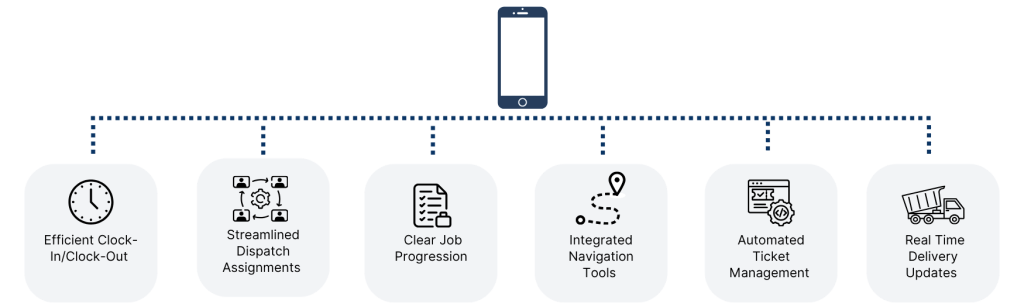
The Dump Truck Dispatcher Driver App simplifies dispatch management by providing a centralized platform for communication, tracking, and job updates. With powerful features that enhance efficiency, dispatchers and drivers can work seamlessly together.

Here’s what you can do with the app:
  • Drivers can clock in and out, tracking their work hours and locations.
  • Dispatchers can monitor driver progress in real-time, ensuring jobs stay on schedule.
  • Automated ticket generation saves time and reduces manual entry errors.
  • Drivers have instant access to job details, delivery instructions, and navigation tools.
  • Dispatchers can manage and track operations remotely, offering flexibility.
  • All job data is centralized for easy reporting and future planning.
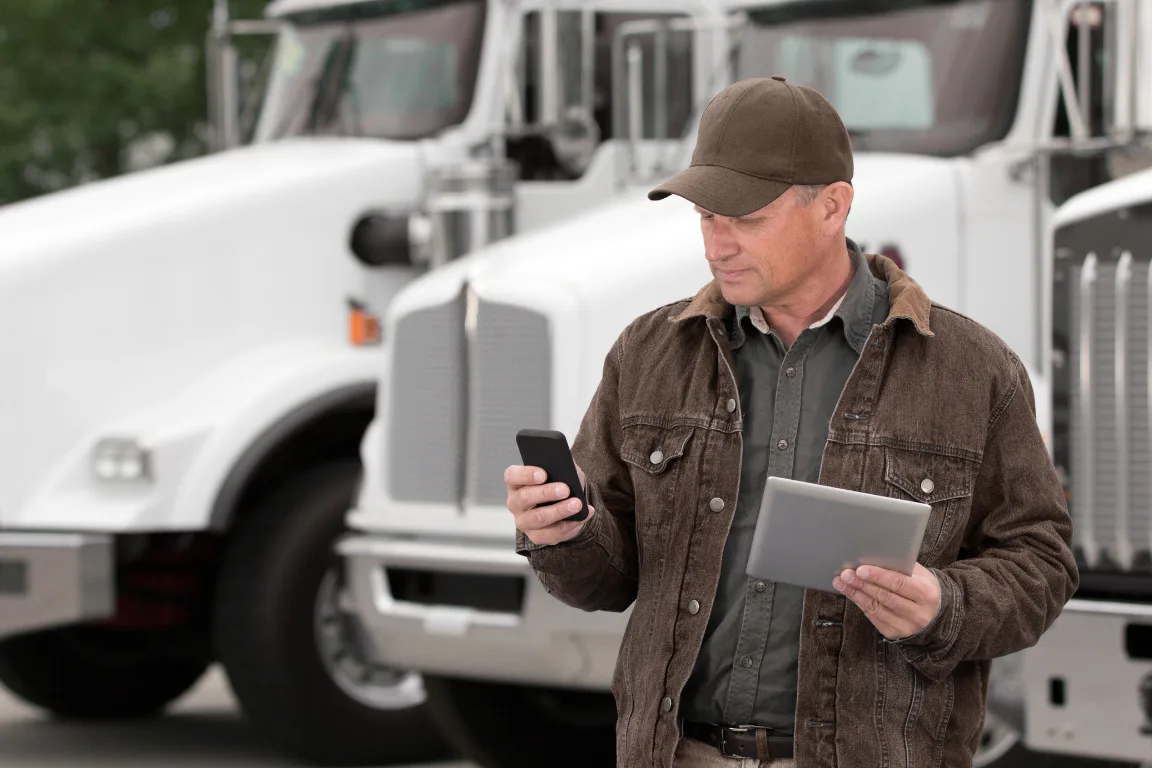
dump truck driver using app

Discover the advanced tools in the driver app

driver app footer
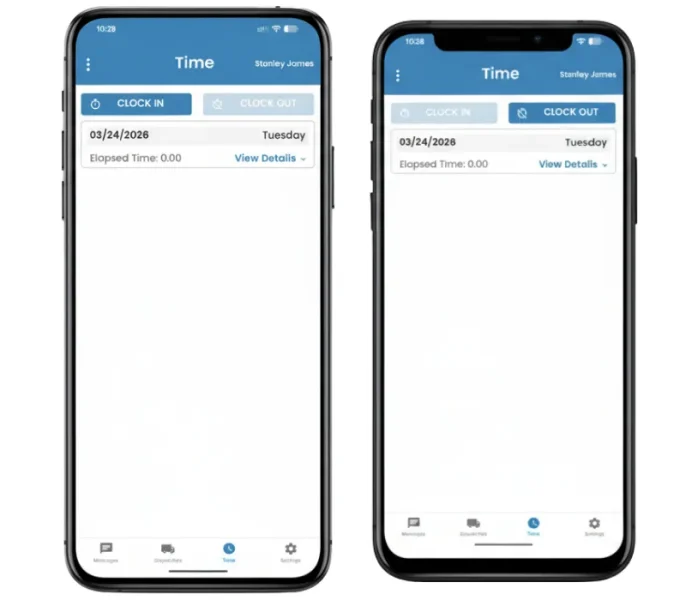
Driver App Clock-In/ Clock-Out

Time Tracking Made Simple

Stay on Top of Driver Availability

Drivers clock in at the start of the day and clock out when finished, giving dispatch a clear view of who’s working without extra calls.

  • Clock in to start the shift and show availability
  • Clock out to close the day with accurate records
  • Track hours automatically for payroll and reporting
  • See who’s active, available, or done in real time

Dispatch, Details, and Acknowledgment in One Flow

Send Jobs and Get Instant Confirmation

Drivers receive dispatches with full job details and can acknowledge them right away, so there’s no guessing or follow-up needed.
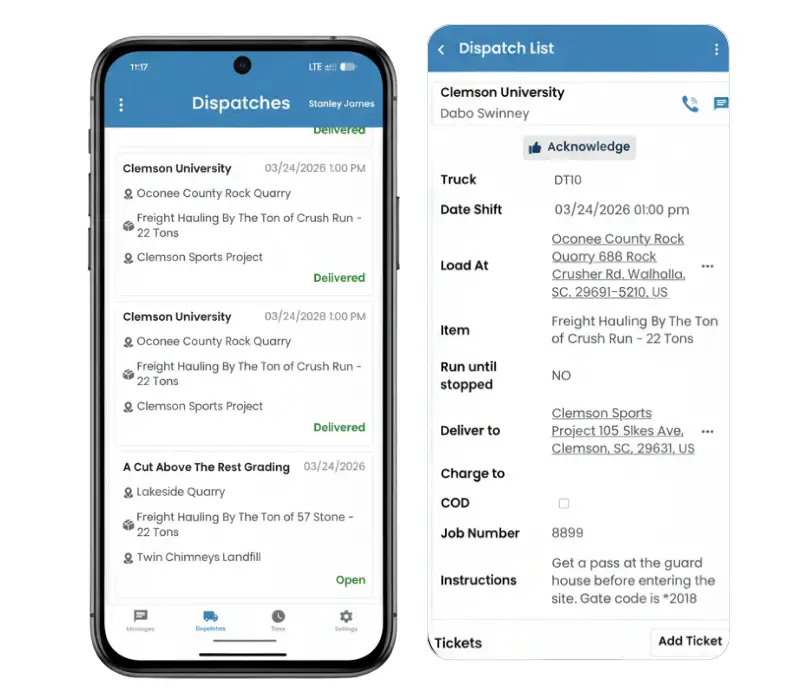
  • View assigned jobs with complete details in one place
  • See locations, materials, and instructions clearly
  • Acknowledge dispatches in seconds
  • Eliminate calls just to confirm job receipt
  • Keep dispatch moving without delays
Driver App Dispatches
Driver app navigation tool

Integrated Navigation Tools

Never Miss a Destination

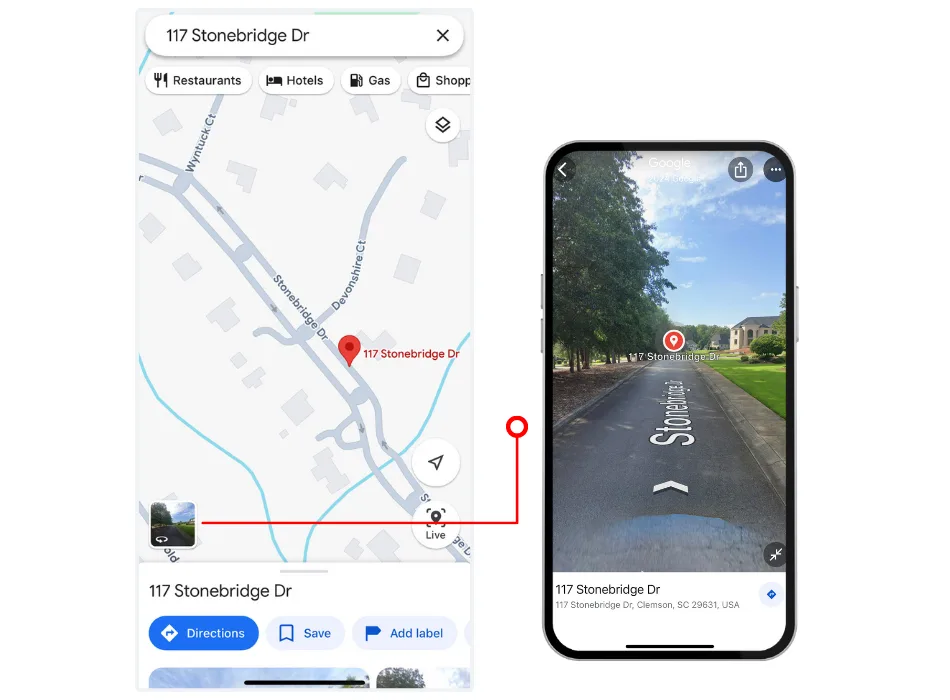
The app’s built-in navigation tools, integrated with Google and Apple Maps, provide turn-by-turn directions and street-level views, ensuring drivers reach their destinations efficiently.

  • Access Google or Apple Maps for precise directions to all jobs.
  • Use street-view images to familiarize yourself with locations.
  • Reduce travel time and eliminate route confusion.

Capture Tickets and Proof on the Spot

No More Lost Paperwork

Drivers can upload tickets and capture signatures directly in the app, keeping records accurate and easy to track.
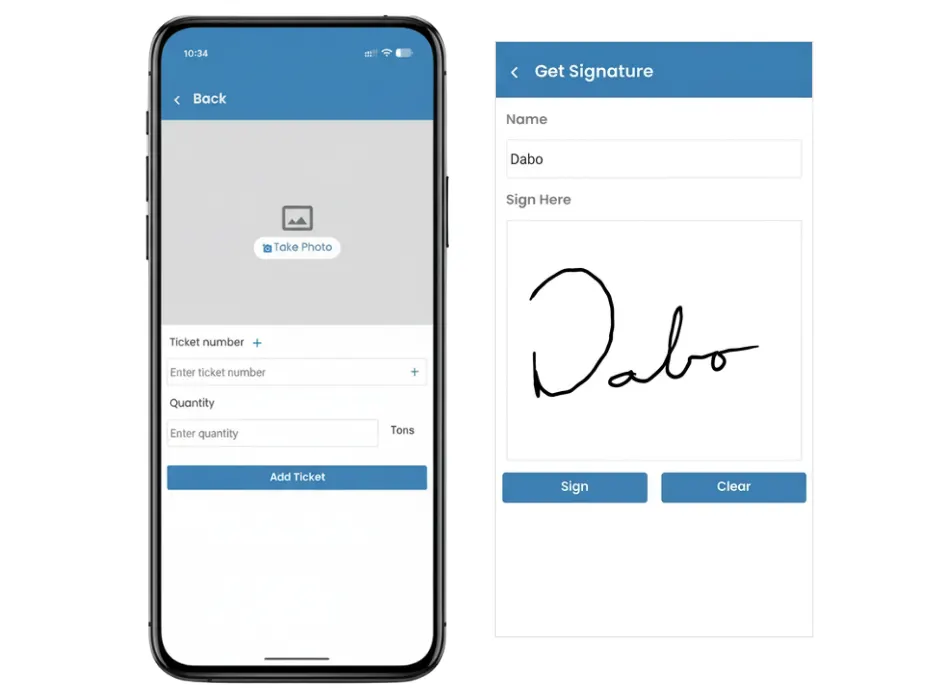
  • Add tickets instantly from the job screen
  • Capture signatures for proof of delivery
  • Store all records in one place
  • Reduce missing or delayed tickets
Driver App Add Ticket and Signature
Driver app send message

Send Messages Without Slowing Down

Keep Communication Simple

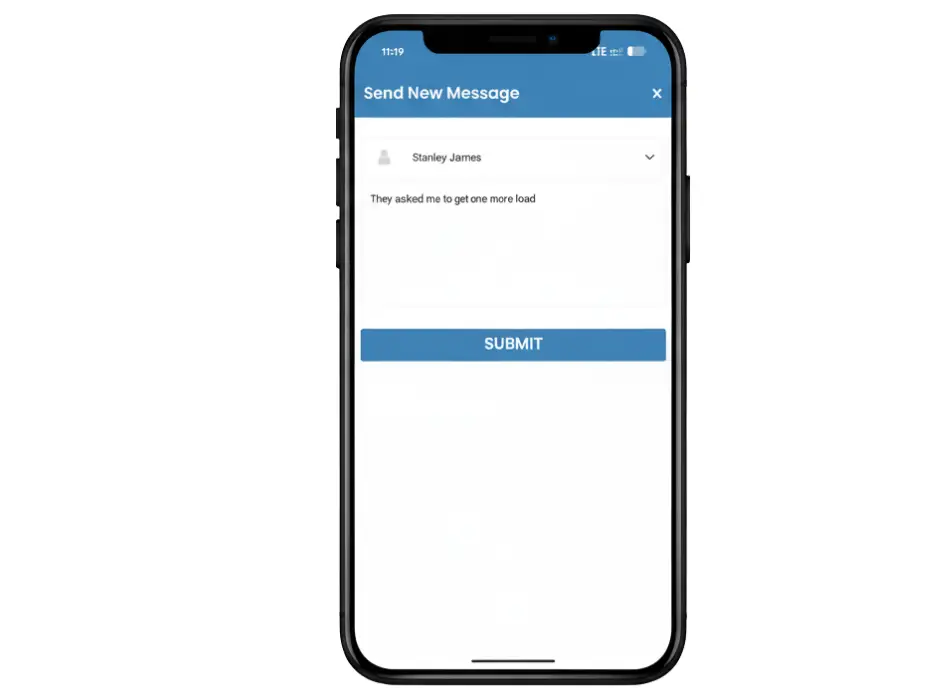
Drivers and dispatch can send quick updates through the app without interrupting the workflow.

  • Send messages tied directly to the job
  • Reduce unnecessary calls and texts
  • Share updates quickly when plans change
  • Keep communication clear and organized

Clear Job Progress from Load to Completion

Track Every Step in Real Time

Drivers move through each stage of the job inside the app, keeping dispatch updated without constant check-ins.
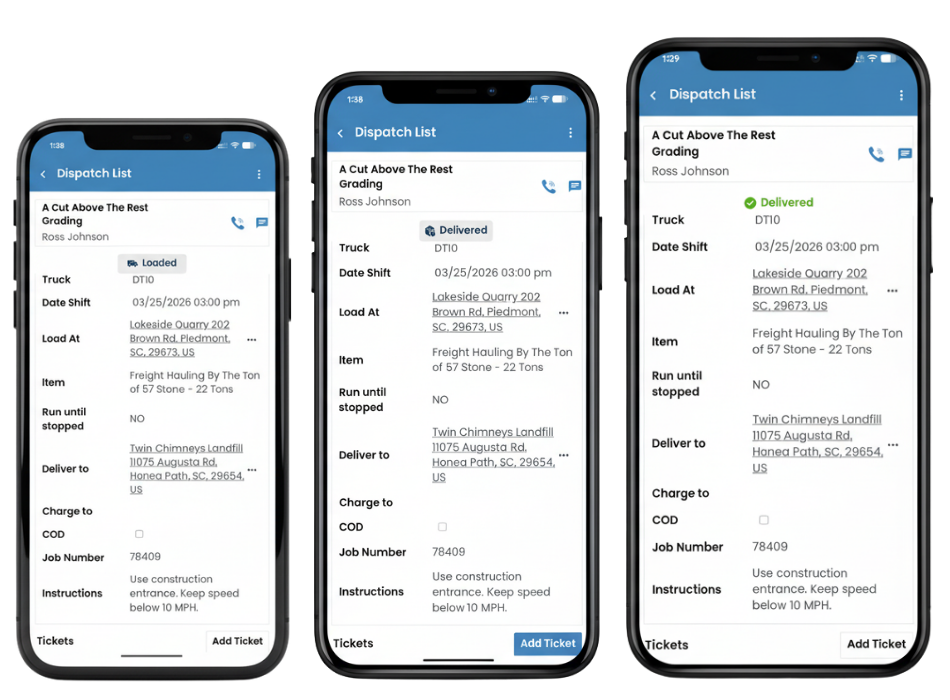
  • Mark jobs as loaded, delivered, and completed
  • See real-time updates across all trucks
  • Catch delays early and adjust quickly
  • Keep the entire operation in sync
Driver App Loaded + Delivered + Completed Delivery

Frequently Asked Questions

The Driver App is designed to help drivers manage their tasks efficiently by providing job details, navigation tools, and real-time updates. It simplifies communication between drivers and dispatchers, reducing miscommunication and delays.

Yes, the app allows drivers to clock in and out seamlessly, automatically tracking their work hours and availability for jobs. This ensures accurate records for payroll and reporting purposes.

The app integrates with Google Maps and Apple Maps to provide turn-by-turn directions to pickup and delivery locations. Drivers can also use street-view images for better clarity and preparation before reaching a location.

Dispatch assignments include essential details like job location, material type, quantity, and any specific instructions. Drivers can access all this information directly in the app, ensuring clarity and accuracy.

Yes, drivers can create and update tickets by adding photos, materials, and quantities. This feature eliminates the need for manual paperwork and ensures accurate reporting.

Drivers can log their progress and mark jobs as complete in real time. This instantly notifies dispatchers, allowing them to track job status and plan the next steps efficiently.

Yes, the app is highly customizable to align with specific workflows. Dispatchers can configure settings such as time classifications, notification preferences, and more to suit their operations.

Absolutely! The app has built-in messaging tools that allow dispatchers to send updates or instructions directly to drivers. Drivers can also contact site personnel or customers as needed.

The app is secure and requires login credentials to access. It ensures that only authorized users can view or update information, keeping your operations and data protected.

Yes, the app allows dispatchers to monitor driver activities such as clock-ins, job acknowledgments, and delivery updates in real time, all from a centralized platform.

Ready to get started?

Our easy and quick setup gets you up and running in no time. Streamline your operations today!