Solving Back-Office Bottlenecks with Modern Dispatch Software
In the local bulk hauling industry, where “success” is measured in tons moved and “cycles” completed, the biggest threat to profitability usually isn’t found on the road.
Local dump truck work runs at a fast pace. Drivers can complete numerous turns in a single shift, which creates a steady flow of tickets, time logs, and billing details. When paper tickets and phone-call dispatching are still part of the process, the back office becomes a bottleneck. Billing slows down, payroll mistakes creep in, and it gets harder to see how the business is really doing.
Let’s take a closer look at where this friction comes from and why it keeps showing up week after week.
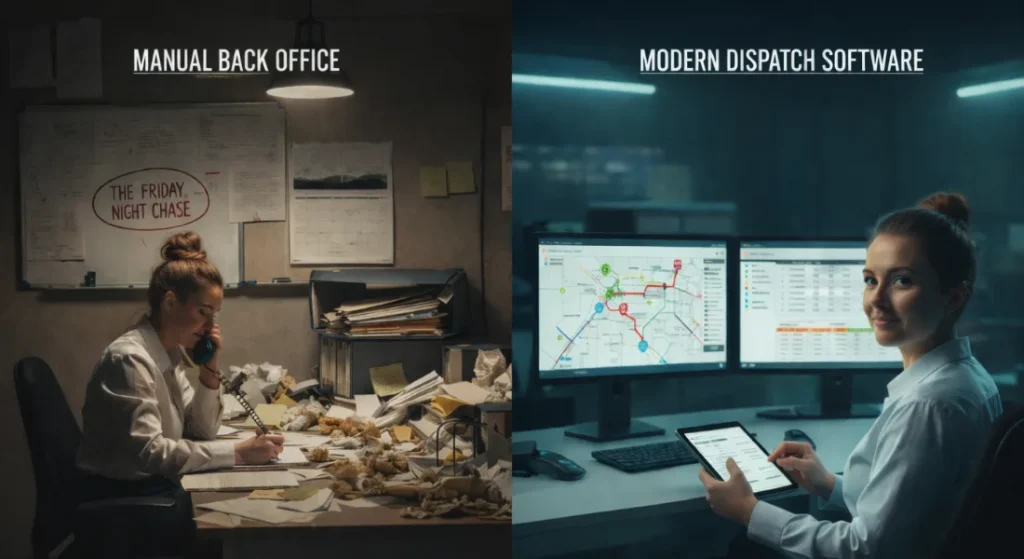
The Reality of the “Manual Nightmare”
Spend a day in a traditional bulk hauling office and the pattern becomes clear. The work doesn’t fall apart because people aren’t trying. It falls apart because too many things depend on paper, memory, and follow-ups lining up at the right time.
Clipboards stack up. Tickets drift in late. Notes get written down with the plan to sort them out later. Over time, this manual setup creates a set of familiar back-office problems that quietly drain time, money, and focus.
The Lost Ticket Crisis
A missing ticket often means missing revenue. Drivers move high volumes of material, sometimes dozens of loads a week, and each one relies on a scale ticket making it back to the office.
Tickets don’t usually vanish all at once. They get lost in small, ordinary ways:
Left in the cab
Damaged by weather or spills
Forgotten at the job site
Mixed in with paperwork from another load
By the time billing starts, the office is already behind. The Friday ticket chase begins, calls go out, and work that should already be done turns into reconstruction. When a ticket never shows up, that load may never get billed. This is why so many teams start looking into reducing lost paper tickets after seeing the same gaps show up week after week.
The Data Entry Trap
Even when tickets arrive on time, the work isn’t finished. Someone in the office still has to enter everything by hand before billing can move forward.
For a fleet with 20 trucks, that can easily mean more than a thousand tickets in a single week. Each one comes with details that have to be typed correctly:
Load weights
Job numbers
Dates and times
Customer or project codes
It only takes one mistyped number for problems to start. A decimal in the wrong place can turn into a billing dispute or a customer call asking why the invoice doesn’t match their records. Instead of reviewing trends or staying ahead of the work, the office ends up fixing mistakes that could have been avoided.
This is why many operations start thinking about streamlining billing workflows, not to rush the process, but to stop repeating the same manual steps.
Time Tracking and Payroll Guesswork
Time tracking issues usually surface at payroll. Hours get written down late, logged from memory, or pieced together from tickets and texts.
When time records don’t line up cleanly, payroll turns into a guessing game. The office double-checks entries, drivers question numbers, and pay statements take longer than they should. Over time, this adds strain on both sides. Clear driver pay calculations help reduce confusion, but manual systems make that clarity hard to maintain.
Cash Flow Delays
Manual processes also slow down how money moves through the business. If paperwork doesn’t arrive until the end of the week, billing can’t begin until the next one. Add a few days for data entry and review, and invoices go out long after the work is done.
Meanwhile, expenses don’t wait. Fuel, wages, and routine costs still hit on schedule. This delay becomes part of the routine, even though it often shows up later as hidden back office costs that quietly chip away at margins.
Lack of Day-to-Day Visibility
Another challenge is not knowing where things stand until the week is over. Without clear load counts or job status during the day, the office works blind.
Billing can’t prepare. Managers can’t spot issues early. Everything waits for paperwork to come in. Having basic job progress visibility helps the office stay oriented during the week instead of reacting after the fact.
Constant Office Interruptions
All of this leads to one last problem that’s easy to overlook. The office rarely gets uninterrupted time to work.
Billing pauses to answer dispatch questions. Payroll stops to confirm job details. Each interruption seems small, but together they stretch simple tasks into long afternoons. This scattered workflow is one of the main reasons back-office work feels heavier than it should.
Transitioning to Efficiency: How Modern Software Reshapes the Workflow
Recognizing these bottlenecks is the first step toward a more stable operation. The goal of modernizing isn’t to go digital just for the sake of it. It’s to create a cleaner flow of information from the cab of the truck to billing, without rebuilding the same details at every step. This is where Dump Truck Dispatcher functions more as a bridge between field work and office work, rather than just another system to manage.
Replacing Paper With Digital “Single Sources of Truth”
The most immediate change comes from removing physical ticket handling. Using the driver app, drivers can upload a photo of a scale ticket as soon as they receive it. This form of paperless ticketing means the back office has a digital record of the load before the truck leaves the quarry.
Impact: The familiar Friday ticket chase fades. If a ticket is missing, it shows up right away, giving dispatch time to follow up while the details are still fresh.
Streamlining the Dispatch Workflow
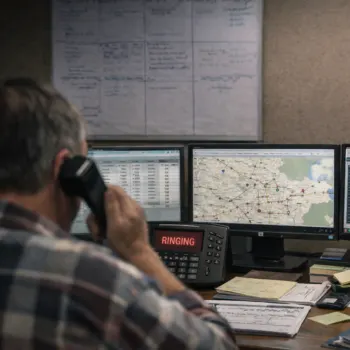
In a manual setup, dispatch often turns into a series of calls and check-ins.
Where are you? What’s next? Did the site close early?
Modern dispatching shifts that back-and-forth into a shared workspace. Jobs are assigned from a central screen, and drivers receive updates directly on their phones with job details, locations, and notes. Because those updates are visible to dispatch as they happen, the office spends less time relaying information and more time keeping the day moving.
Automated Billing and “One-Click” Invoicing
This is where the back office usually feels the biggest relief. Since loads are logged throughout the day, billing data is already in place.
Instead of entering tickets manually, loads can be grouped under Project A for Customer B and turned into a pre-formatted invoice. When the same job runs again, the setup can be reused rather than rebuilt. Office staff review the totals, confirm the numbers, and click “Send.”
Because billing pulls from recorded load data, quick invoicing becomes part of the normal workflow instead of a separate task that piles up at the end of the week.
Effortless Time Tracking and Driver Settlements
Payroll often involves a mix of hourly rates, per-ton pay, or percentage-based settlements.
With time tracking handled through the driver app, drivers clock in, review job details, and update progress as work is completed. Ticket uploads and job updates stay tied to those time entries. As a result, driver pay reflects completed work without needing end-of-week reconstruction.
By the time payroll runs, the numbers already align with what happened in the field. Instead of spending hours calculating settlements, the office reviews a report that’s ready to move forward.
Life in the Office: Before vs. After Software
Area
Old Way
Modern Workflow
Ticket Collection
Physical slips that are turned in late and messy.
Real-time photo uploads from the cab.
Billing
Sorting paper piles; 4+ hours of typing.
Auto-generated invoices in seconds.
Payroll
A full day of manual math and Excel.
Settlement reports ready for review instantly.
Improving Daily Operations Without the “Tech Overload”
A common concern for local haulers is that the software will be too complicated or require expensive GPS/ telematics hardware. However, the focus of modern “back-office first” software is simplicity.
Investing integrated dispatching software provides immediate ROI without requiring a total overhaul of how the trucks are driven. It simply makes the administrative side of the business as fast as the trucks themselves.
When a company moves away from manual processes, the “vibe” of the office changes.
Dispatchers are less stressed because they aren’t managing dozens of calls and text threads
Drivers are happier because their pay is accurate and they don’t have to track piles of paper
Owners gain clearer visibility into daily activity, making it easier to plan and take on new work
For fleets running more than 10 trucks, this is where Dump Truck Dispatcher can help. You can schedule a free demo to review your current workflow and see where the back office could run more smoothly.
Time is lost in the gaps between loads. Not in big decisions, but in constant interruptions that never get tracked. In this article, you’ll see where those minutes go, why…
If you run trucks long enough, DOT inspections stop feeling rare. They become part of the job. What catches many fleets off guard is not the inspection itself, but the…
If trucks are running all day, but load counts still come up short, the issue is rarely effort or availability. More often, it comes down to hidden cycle time delays…