Driver Activity Report
This report shows the clock-in and out times for the driver, the jobs the driver worked, and includes a picture of the tickets if requested.

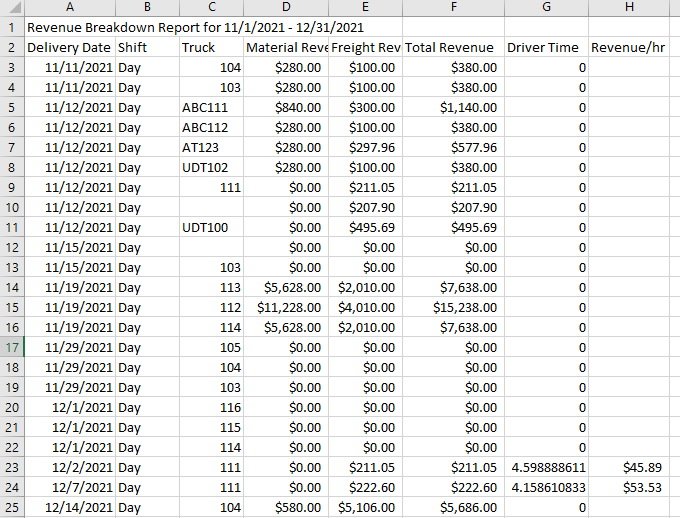
This report exports a list to a csv file to show the revenue generated per truck each day. You can generate the report for a selected period and for the desired trucks. By default, the report will be for all trucks.

Once you click the “Export” button, a csv file is downloaded. You can analyze this export file in Excel. Below is an example of the file.