If you are unable to print reports, it is likely that you have disabled notifications in Dump Truck Dispatcher. By default, notifications are enabled as they are important for proper usage of the product. If you are getting too many dispatching notifications, turn off the dispatching role instead of disabling notifications. You can still be given appropriate permissions to dispatch without getting the dispatching notifications.
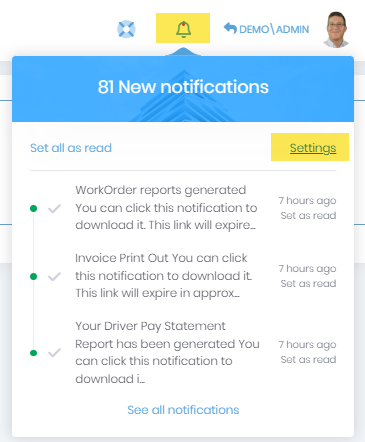
You can get to the Ntification settings by clicking on the “Bell” icon in the heading and then clicking the “Settings” link.
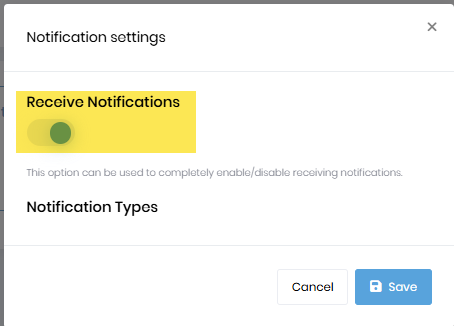
Clicking those items will display the following “Settings” screen. Ensure the “Receive Notifications” toggle is set to enabled. It will be blue and to the right when it is enabled. If you disable this, you will not get any notifications, including the one that your report is ready.
Learn how to enhance your Quotes, Invoices, and Reports in Dump Truck Dispatcher by adding a custom logo. This step-by-step guide walks you through the process to ensure your branding…
Learn how to set up pricing tiers to offer customized rates for different customer groups, such as 'Retail' and 'Commercial.' This guide walks you through the steps to create and…