Release 2.9.21.21
This release continues our recent efforts to boost application performance by shifting the generation of reports, imports, and exports to a separate server. Most processes have now been streamlined, with…

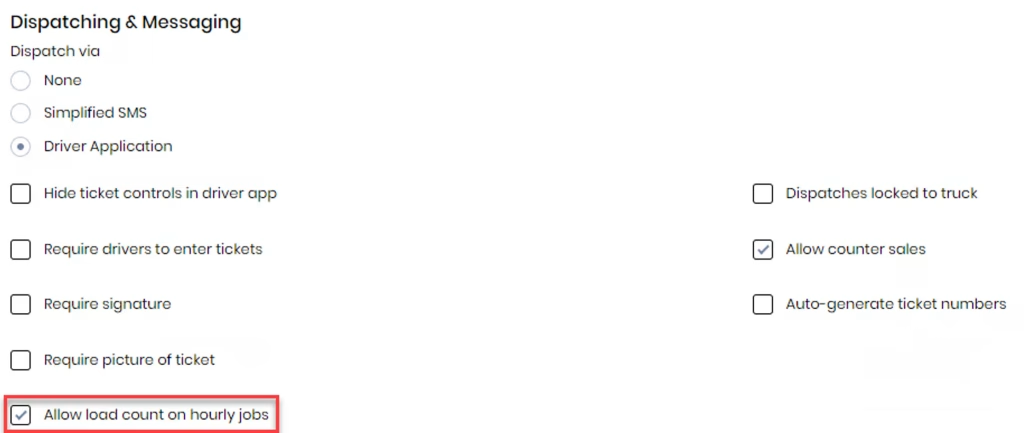
Added a setting to allow showing the load count on hourly dispatches. This setting enables a control on the PWA Driver App and our new yet unreleased native Driver App to allow the drivers to enter the number of loads they delivered.
Previously, when an order was created from a quote, the “Load At” was locked to the “Load At” value from the quote. We changed that to allow the “Load At” value to be edited on the order. If the “Load At” is changed on an order and that order is copied, the “Load At” value from the copied order is used and not the quoted value.
The implications of this are that you can add a quote without a “Load At” or a “Deliver To” address. Later, you can create an order using this line item from the quote if the price and UOM are correct. This will be especially useful for hourly jobs where you have quoted an hourly rate and don’t want to create a line item for every “load at” and “deliver to” address.
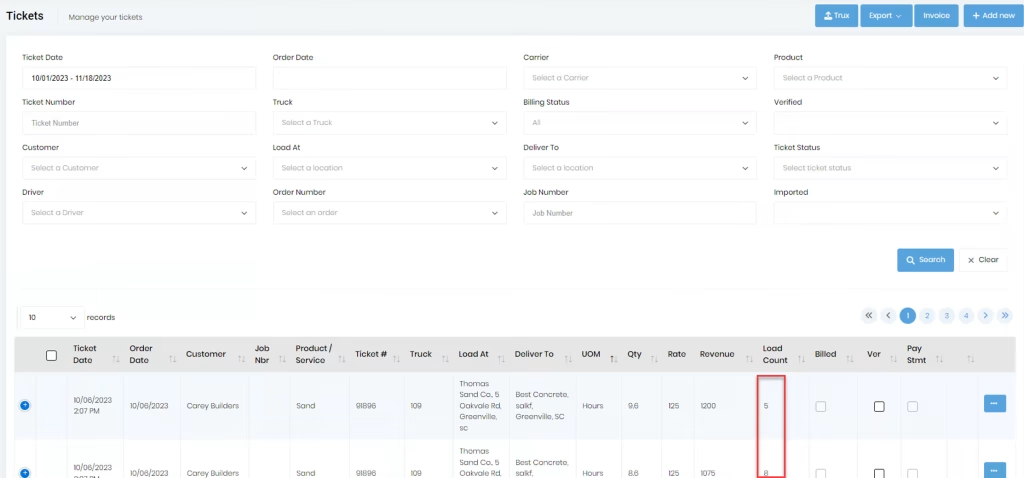
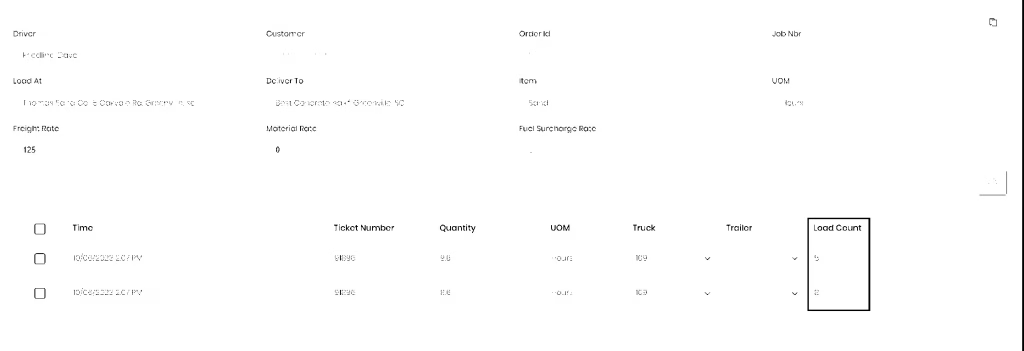
Added the “Load Count” to the “Tickets List” and the export from the “Tickets List.”
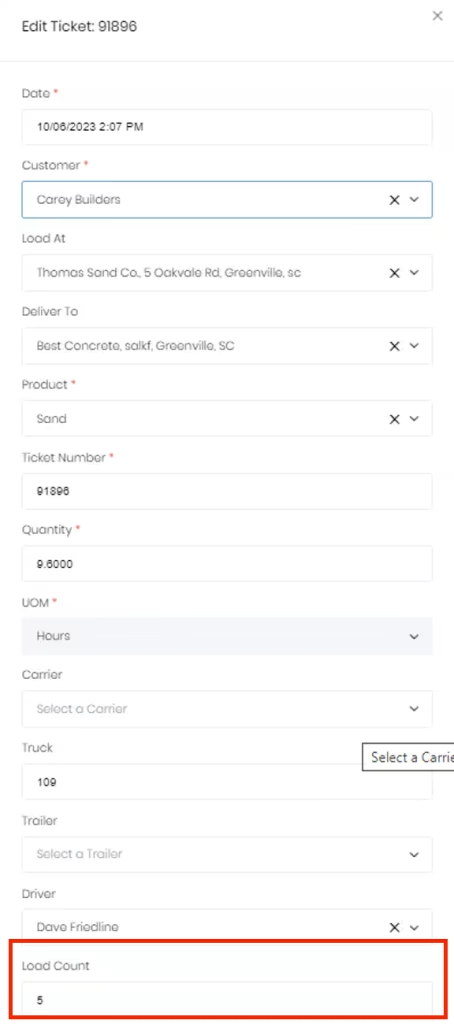
This value can be edited on the “Ticket Detail” form.
Added the “Load Count” to the “Tickets by Driver.” The value can be edited in the table with the ticket data.
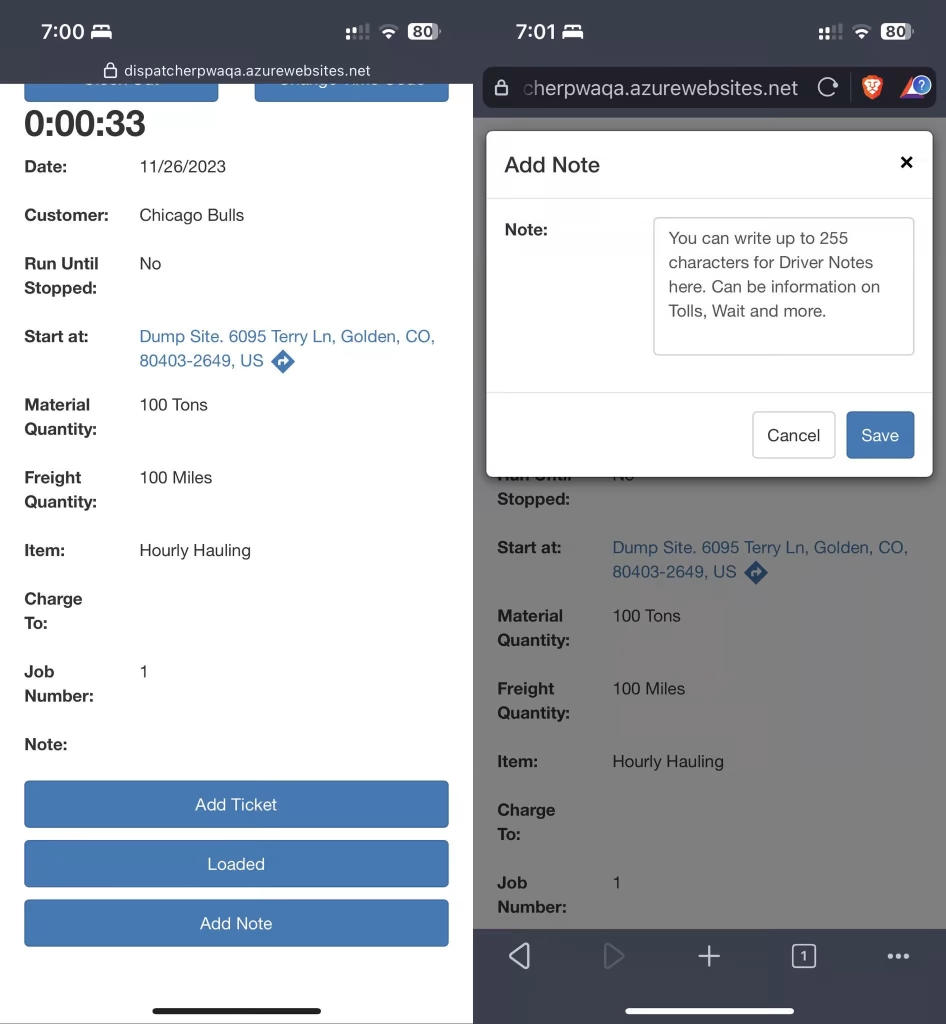
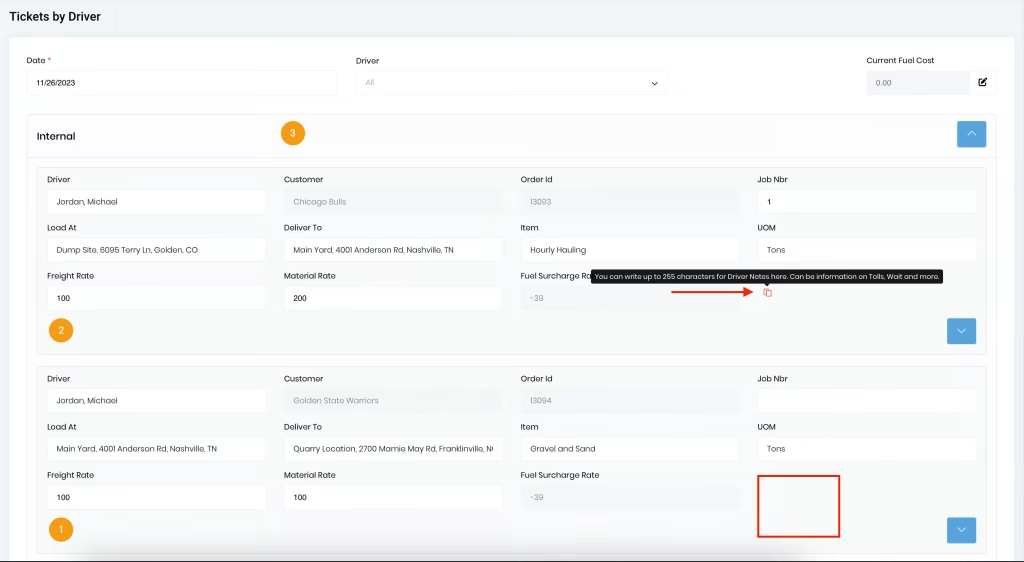
A new feature has been incorporated allowing the Driver to add pertinent Notes regarding the order/dispatch that could potentially impact billing. These Notes may include information on Tolls, Waits, Availability to Accept Load, and other details required by the Billing department.
These Driver Notes can be accessed in the Tickets by Driver via the icon designated by the red arrow in the image below. The designated icon will be hidden if there is no Note associated with the Order.
NOTE: This note is displayed similar to the Dispatcher Internal note, but in a different color.
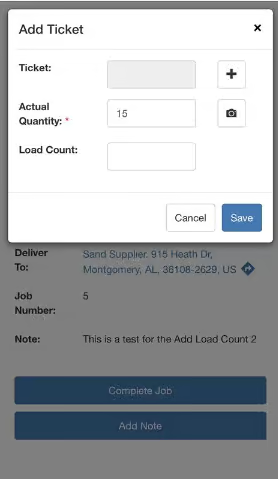
Added the ability to add a load count.
A “Load Count” text box is displayed on the “Add Ticket” screen when the “Allow load count on hourly jobs” is enabled and the Job is an hourly job. The load count is optional.
NOTE: This new feature is hidden when the “Allow load count on hourly jobs” setting in Dispatching and Messaging is disabled.
Added a button “Add Note” under the “Loaded” button. Selecting the “Add Note” button will pop up a dialog box for Drivers to add relevant Note on the Order / Job that could impact billing. A Note is allowed to have up to 255 characters and edited until Delivered.