LuckStone Settings
The “Luck Stone” tab will be shown only if” import Luck Stone earnings” feature is enabled on the tenant. For importing Luck Stone earnings, you should have the required permission…

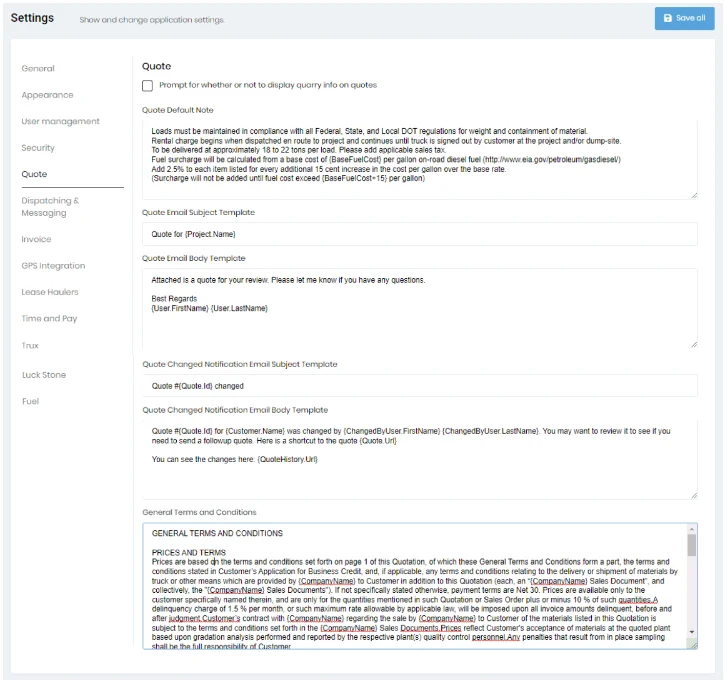
The “Quote” tab will allow you to add Quote Default Note, and Quote Email Templates. When printing or sending quotes, if you don’t want to show quarry information, you must enable the “Prompt for whether or not to display quarry info on quotes” checkbox.
The “Quote Default Note” is typically where you would put information such as fuel surcharge and wait charges, as shown in the example.
The “General Terms and Conditions” control allows you to customize the General Terms and Conditions details that will be displayed on the second page of the quotes. This is where you would put your legalese.