Scheduling and Dispatching
Overview The schedule shows all your jobs for the specified day. If an order has multiple lines where each line is considered a job, each job will show as a…

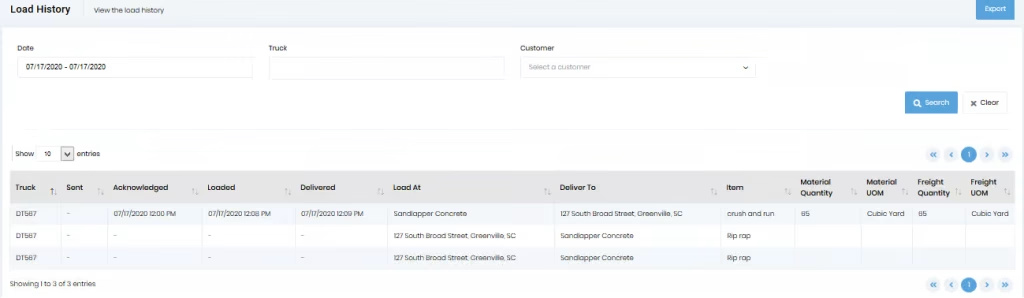
Under the “Tickets” menu, there is a “Load History” menu item. Click on the “Load History” menu item to load the list showing the history of all loads meeting the criteria specified at the top of the screen. When a dispatch is created, the system creates a load history showing the time the dispatch was sent. As the driver steps through the acknowledge, load, and deliver cycle, the appropriate times get added and will display on this screen.
You can filter out the dispatches using trucks, dates, and customer fields. You can also sort the results in ascending/descending order by clicking on the top of the columns in the data table.