LuckStone Settings
The “Luck Stone” tab will be shown only if” import Luck Stone earnings” feature is enabled on the tenant. For importing Luck Stone earnings, you should have the required permission…

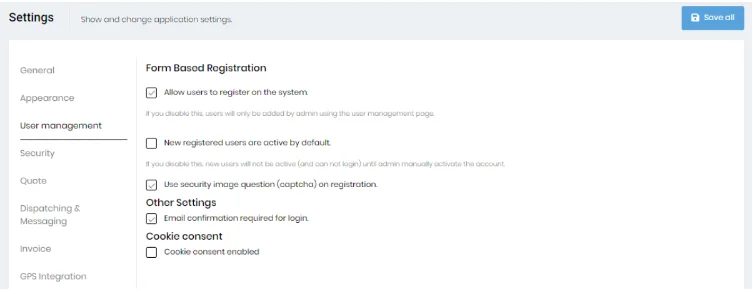
Clicking on the “User Management” tab allows you to select Form-Based Registration features.
By enabling the “Allow users to register on the system” checkbox on this page, you can allow users to register on the system and if “New registered users are active by default” checkbox is unchecked then new users will not be active (and cannot login) until an admin manually activates the account. You can enable/disable the captcha at the time of registration using the “Use security image question (captcha) on registration” control. The captcha helps keep hackers from automatically trying numerous logins via bots.