Adding Tolls or Other Charges
This documentation explains how to handle tolls and extra charges in Dump Truck Dispatcher. You’ll learn both how to add them during job creation and after invoicing.

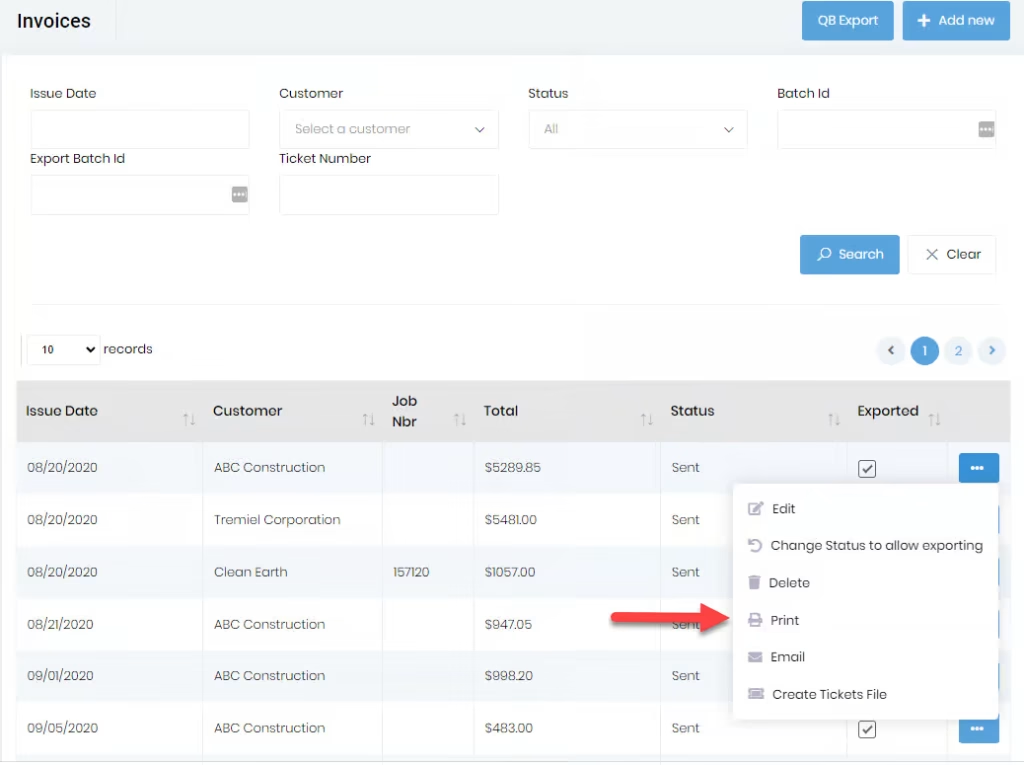
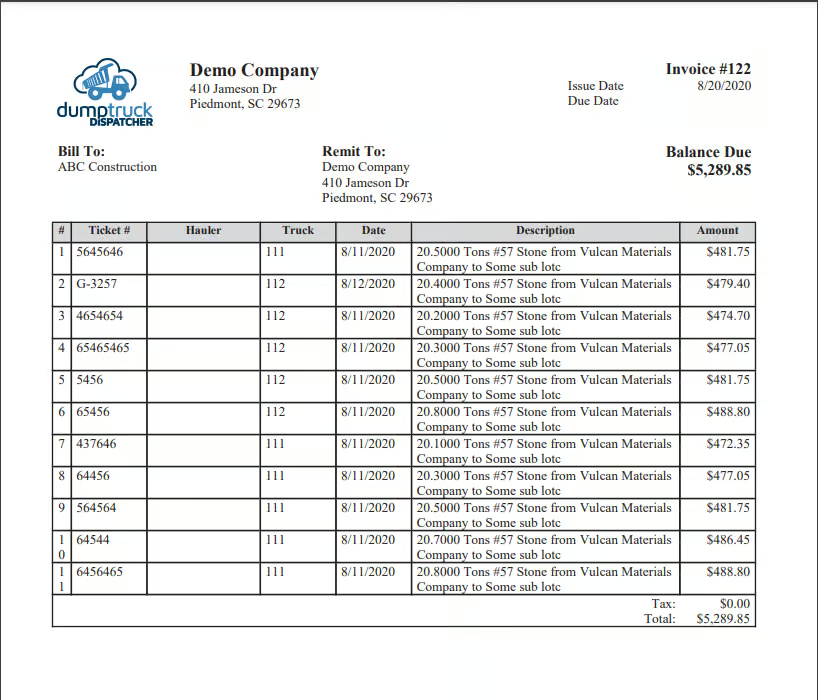
Clicking on the “Print” button on the “Invoice List” or the “Invoice Detail” will generate a pdf of the invoice like what is shown in the image below.
Refer to the Invoice tab of the “Settings” page for certain settings related to printing invoices.
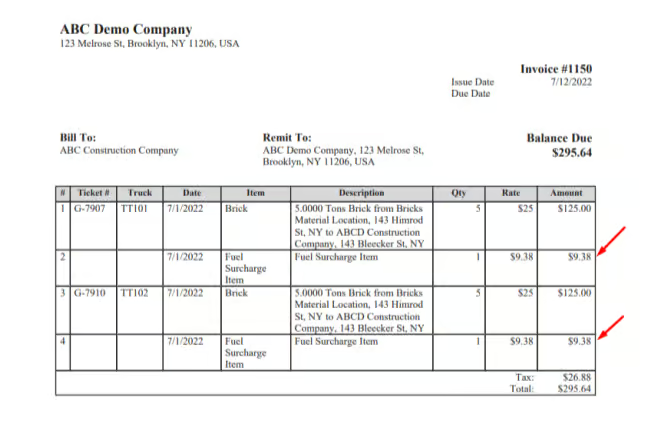
If the “Show Fuel Surcharge” checkbox is enabled and if “Show Fuel Surcharge on Invoice” is specified as “Line item per ticket”, then on the invoice print there will be one fuel surcharge line for every ticket, if there is a fuel surcharge amount for the used tickets. The specific fuel surcharge amount will be reflected on the grand total.
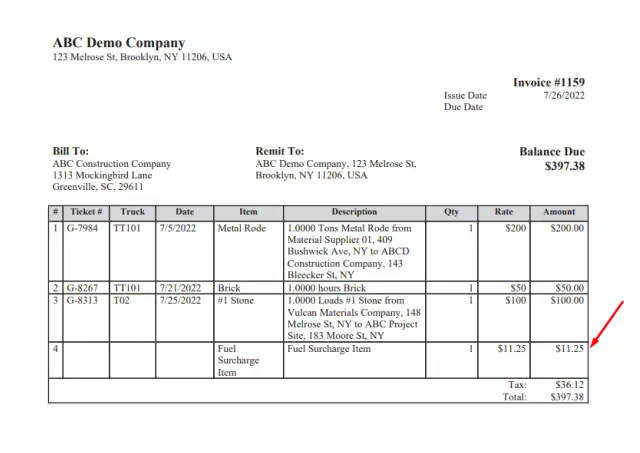
If the “Show Fuel Surcharge” checkbox is enabled and if “Show Fuel Surcharge on Invoice” is specified as “Single line item at the bottom”, then invoice print there will be one fuel surcharge line for the entire invoice. It will be shown at the bottom of the list of tickets. The specific fuel surcharge amount will be reflected on the grand total.